
A Practical Guide to Using a Coin QR Code for Crypto Payments
At its core, a coin QR code is just a scannable image holding cryptocurrency payment details. Think of it as a digital shortcut that contains a wallet address, letting customers send crypto like Bitcoin or Ethereum instantly and without errors. It completely gets rid of the need to manually copy and paste those long, messy wallet addresses.
Why Coin QR Codes Are Essential for Modern Commerce
Picture a customer at your checkout, ready to pay with crypto. The old way? They'd have to painstakingly copy your long wallet address and paste it into their mobile app. A single typo could send their funds into the digital abyss, lost forever. That kind of friction is a huge roadblock for both merchants and shoppers.
This is where the simple genius of a coin QR code completely changes the game. By offering a scannable code, you eliminate the single biggest point of failure in a crypto transaction. The customer just opens their wallet app, points their camera, and hits "approve." It's fast, secure, and takes human error completely out of the equation.
Streamlining the Customer Experience
Every business wants a frictionless checkout. It doesn't matter if you run a busy coffee shop or a global e-commerce site—a clunky payment process means lost sales. Deciding to accept crypto shouldn't make things more complicated.
A coin QR code provides a user experience that people already know and understand. Most consumers are used to scanning QR codes for everything from restaurant menus to concert tickets. That familiarity makes the jump to crypto payments feel much less intimidating.
By simplifying the transaction down to a single scan, you're doing more than just accepting a new currency. You're sending a clear message to a tech-savvy audience that your business is modern, efficient, and easy to work with.
The Global Trend Toward QR Payments
This isn't just a small-time trend; it's a worldwide shift. Reports show that the Southeast Asian market alone saw QR code payment volumes explode from 13 billion transactions in 2023 to a projected 90 billion by 2028. This staggering growth proves consumers are moving decisively toward scan-and-pay convenience.
Bringing a crypto payment system like BlockBee into your business lets you ride this wave. BlockBee handles the heavy lifting by generating a unique, dynamic QR code for every single purchase. This ensures payments are not only error-free but also simple to track and match up with specific orders.
To really see how QR codes are becoming indispensable in business, it's worth checking out some actionable QR code marketing ideas for small businesses. This technology is no longer a gimmick; it’s a core tool for any merchant looking to accept digital payments smoothly.
Getting to Grips With Crypto Payment URIs
Before you can generate a working coin QR code, you have to understand what’s going on under the hood. At the core of every crypto QR code is a Uniform Resource Identifier, or URI. You can think of it as a special kind of web link, but instead of taking you to a website, it gives a crypto wallet all the instructions it needs to set up a payment.
This URI string is what makes that pixelated square so powerful. When a customer’s wallet app scans the code, it reads the URI and instantly knows which crypto to use, which address to send it to, and often, the exact amount. Nailing this structure is your first step toward a smooth, error-free checkout.
The Anatomy of a Payment URI
A crypto payment URI isn’t just a random string of text; it follows a very specific format. Once you get the hang of its components, you can build precise payment requests that prevent customer confusion and costly mistakes.
The basic formula is pretty consistent across different blockchains, even if there are a few minor differences here and there.
- Scheme: This is the prefix that tells the wallet which cryptocurrency we're dealing with. It always ends with a colon, like
bitcoin:,ethereum:, ordogecoin:. This is what directs the transaction to the right network. - Address: Right after the scheme, you’ll find the recipient's wallet address. This is the most important part—it’s the destination for the funds.
- Parameters: These are optional bits of information that add more detail to the transaction. They always start with a question mark (
?) and are separated by ampersands (&) if you have more than one.
By putting these pieces together, you can create a detailed payment request that automatically fills in all the fields in your customer's wallet. All they have to do is hit "confirm." To see more on how this works, our guide on a QR code for crypto breaks down the tech even further.
Real-World URI Examples
Let’s see how this plays out with a few popular cryptocurrencies. Pay close attention to the small but crucial differences, especially when you start dealing with tokens on networks like Ethereum.
To make this easier to visualize, here's a quick comparison of the URI formats for some common cryptocurrencies.
Cryptocurrency URI Format Comparison
| Cryptocurrency | Scheme | Example Address | Optional Parameters |
|---|---|---|---|
| Bitcoin (BTC) | bitcoin: |
1A1zP1eP5QGefi2DMPTfTL5SLmv7DivfNa |
amount, label, message |
| Ethereum (ETH) | ethereum: |
0xfb6916095ca1df60bb79ce92ce3ea74c37c5d359 |
value (in Wei), gas, gasPrice |
| Litecoin (LTC) | litecoin: |
LbaztJ2fNAE14S5y2a3Wb2qj3Q2J5f7e8D |
amount, label, message |
| Dogecoin (DOGE) | dogecoin: |
D7A1b2c3d4e5f6g7h8i9j0k1l2m3n4o5p6 |
amount, label, message |
As you can see, while the core structure is similar, the specific parameter names (like amount vs. value) can change. These details matter.
Now, let's break down a couple of specific examples.
Bitcoin (BTC) Example
A Bitcoin URI is about as straightforward as it gets. You just combine the scheme and address, then add optional parameters like amount or a message for your own reference.
bitcoin:1A1zP1eP5QGefi2DMPTfTL5SLmv7DivfNa?amount=0.005&message=Order%20%2312345
This URI tells the wallet to queue up a payment of 0.005 BTC to that specific address and attach the note "Order #12345" to it.
Pro Tip: If you're including messages or labels that have spaces, you absolutely have to use URL encoding. See that
%20in the example? That's the code for a space. This keeps the URI valid and ensures every wallet app can read it correctly.
Ethereum (ETH & ERC-20 Tokens) Example
Things get a little more complex in the Ethereum world. A standard URI for sending ETH is simple enough, but it gets tricky when you're requesting a payment for an ERC-20 token like USDC. For tokens, you have to include the token's specific contract address.
- For ETH:
ethereum:0xfb6916095ca1df60bb79ce92ce3ea74c37c5d359?value=15000000000000000 - For USDC (ERC-20):
ethereum:0xa0b86991c6218b36c1d19d4a2e9eb0ce3606eb48/transfer?address=0xfb6916095ca1df60bb79ce92ce3ea74c37c5d359&uint256=50000000
Did you notice the value for the ETH payment? It's not in Ether; it's in Wei, which is the smallest unit of ETH. The same goes for the USDC amount, which is specified in its smallest unit. You have to do some careful math to get this right.
This is exactly why so many merchants use a payment gateway like BlockBee. Our system handles all these tricky URI constructions automatically, so you don't have to worry about manual errors that could cost you—or your customer—money.
Getting Your First Coin QR Code
Now that you've got the theory down on how crypto payment URIs work, let's get our hands dirty. When it comes to actually making a coin QR code, you really have two paths you can go down. One is a quick-and-dirty manual method, great for personal stuff. The other is a robust, automated approach built for serious business.
We'll start with the manual way just so you can see how the pieces fit together. After that, we’ll jump into the professional-grade method using an API—this is non-negotiable for any merchant who needs security, reliability, and the ability to scale.
The Manual Method for Simple Static Codes
The fastest way to spin up a coin QR code is to use one of the many free online QR code generators. This is perfect for situations where the payment details are always the same. Think of a static donation address for your open-source project or a tip jar for a charity fundraiser.
It’s a pretty simple process:
- Build the URI: First, you'll put together that payment URI we talked about. For a basic Bitcoin donation address, it could be as simple as
bitcoin:1A1zP1eP5QGefi2DMPTfTL5SLmv7DivfNa. - Find a Generator: A quick search for a "free QR code generator" will give you dozens of options.
- Paste and Go: Just copy your URI, paste it into the generator’s text box, and hit the generate button.
- Download and Use: From there, you can download the image file (usually a PNG or SVG) and put it wherever you need it.
This approach is fast, easy, and free. But for any real commercial use, it's a non-starter. The code is static, meaning the wallet address is baked in forever. You can't track individual orders, and you're opening yourself up to a security risk if someone sneakily swaps your physical QR code with their own.
The Professional Method Using a Payment API
For any real business—whether you’re running an e-commerce store or billing for services—a static QR code just won't cut it. You need dynamic, single-use codes that are generated on the fly for each transaction. This is where a payment processing API, like the one from BlockBee, becomes absolutely essential.
An API-driven setup automates the whole thing. It creates a unique coin QR code for every customer's specific order total. This guarantees you get paid the right amount every time and can automatically mark invoices as paid without lifting a finger. It's more secure, looks far more professional, and is just plain more efficient.
The real magic here is the automation. Instead of you doing anything manually, your website or app makes a quick call to the BlockBee API. BlockBee takes it from there, handling everything from generating the QR code to watching the blockchain for the payment and pinging your store once it's confirmed.
The screenshot above gives you a peek into a typical API request from the BlockBee documentation. You can see the different parameters you can send to create a payment address, giving you a ton of control for a custom, secure checkout.
If you want to dig deeper into the technical side of QR codes beyond just crypto, there are some great guides on creating QR codes for various applications that cover the fundamentals well.
Generating a Dynamic QR Code with BlockBee
Let’s walk through a real-world example of how you’d generate a payment QR code with a cURL request to the BlockBee API. This is the exact kind of thing your server would do in the background the moment a customer chooses to pay with crypto.
curl --request GET
--url 'https://api.blockbee.io/checkout/request/?currency=USDTTRC20&address=YOUR_WALLET_ADDRESS&callback=https%3A%2F%2Fexample.com%2Fcallback&apikey=YOUR_API_KEY&value=9.99'
--header 'accept: /'
In this request, you're essentially telling BlockBee to:
- Create a payment request for USDT on the TRON network.
- Set the specific payment amount to 9.99.
- Notify your server at the
callbackURL as soon as the payment is confirmed.
The BlockBee system then responds with a unique, one-time-use deposit address and a ready-made payment URI. You just take that URI and convert it into a QR code for the customer. This dynamic approach is the gold standard for secure, automated crypto e-commerce.
This kind of automation is exactly why QR codes have become so critical. They completely eliminate the dreaded "fat-finger" errors of mistyping a wallet address, which can cause 10-20% of failed transactions in manual crypto transfers.
With a projected 708 million crypto owners worldwide by mid-2025, the need for these kinds of seamless tools is only going to grow.
In the end, while messing around with manual generators is a good learning exercise, the API-driven method is the only practical way forward for a business. It turns the coin QR code from a simple, static picture into a smart, dynamic, and secure part of your automated sales process.
Implementing Secure QR Code Payment Practices
Getting a QR code to work is one thing; making sure it's secure is what really protects your business and earns customer trust. That scannable square on your checkout page can quickly turn into a liability if you're not careful. That's why treating security as an afterthought is a non-starter—it has to be baked in from the beginning.
The threat landscape is no joke. With crypto theft hitting a staggering $3.4 billion in 2025 across 158,000 separate incidents, the need for fraud-proof payment methods is crystal clear. While QR codes help cut down on the simple typos that lead to lost funds, you need to go a step further. You can see just how serious these threats are in the latest Chainalysis report.
This isn't about using just any QR generator. You need an intelligent system built to handle today's threats.
Why Dynamic QR Codes Are the Gold Standard
If there's one security decision you need to get right, it's choosing dynamic QR codes over static ones for any kind of commercial transaction.
A static QR code is like a printed business card—it holds fixed information, usually just your wallet address. That’s fine for a personal donation page, but it’s a massive risk for a business.
Think about it: you print a static QR code and stick it on your counter. What’s stopping someone from slapping a sticker with their own QR code right over yours? You wouldn't know until you checked your wallet and saw nothing came in. Because the data never changes, it's an easy target.
A dynamic QR code, on the other hand, is generated fresh for every single transaction. This is a game-changer for a few key reasons:
- Order-Specific Data: Each code is tied to a unique order ID and the exact payment amount, so there are no accidental underpayments or overpayments.
- Single-Use by Nature: Once a payment is made, the address associated with that QR code is effectively retired. It can't be reused for another payment, shutting down replay attacks.
- Automatic Reconciliation: Because every code is unique, your system can instantly match an incoming transaction to the right customer order. Say goodbye to manual accounting headaches.
Switching to dynamic QR codes is like upgrading from leaving your front door unlocked to installing a smart security system that vets everyone who comes through. It’s an active, intelligent defense.
This flowchart breaks down the different ways you can generate a QR code and shows exactly where the dynamic, API-driven approach fits into a professional setup.
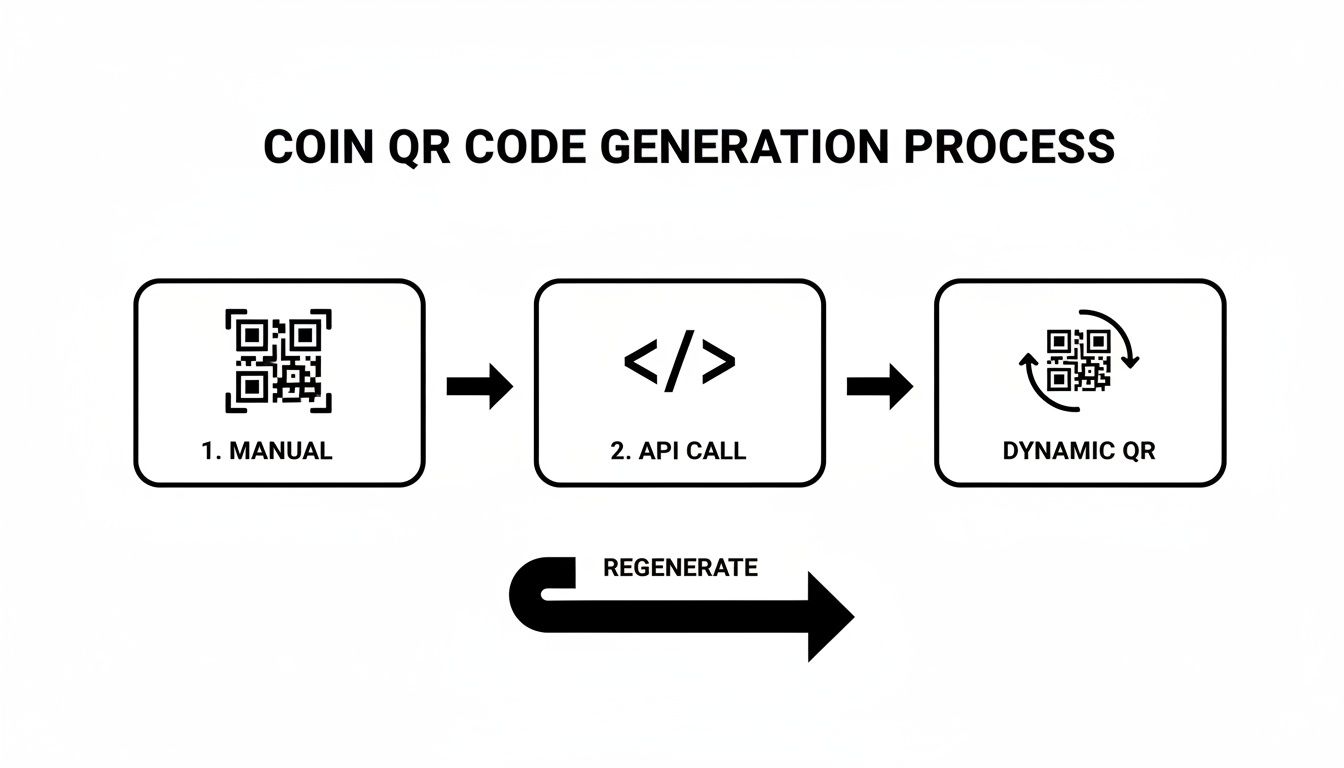
As you can see, while making one manually is simple, the secure, automated process offered by dynamic codes is the only real choice for a serious business.
The Critical Role of Server-Side Verification
Here’s another common mistake I see: trusting what’s on the customer’s screen. A customer might flash a "payment sent" confirmation from their wallet app, but those can be faked with surprising ease. In the crypto world, the only thing you can trust is the blockchain itself.
This is where server-side verification becomes absolutely essential. You can't rely on the user to tell you they've paid. Your system needs to get that confirmation directly from the network.
This is exactly what payment gateways like BlockBee automate using webhooks (sometimes called callbacks). When a payment is sent, BlockBee's servers watch the blockchain for that specific transaction. Once it has enough confirmations to be considered final and irreversible, BlockBee fires off an automated, cryptographically signed alert to your server.
That webhook is your green light. It’s the definitive signal to mark the order as paid and ship the product.
This approach gives you a few powerful advantages:
- Fraud-Proof: It’s impossible for a customer to trick you with a phony confirmation screen. The blockchain doesn't lie.
- Automated Workflow: Your store can update order statuses and trigger fulfillment automatically, with zero human intervention.
- Rock-Solid Reliability: The confirmation process doesn't depend on the customer's spotty Wi-Fi or their browser staying open.
Ultimately, locking down your payment process is just one piece of the puzzle. While BlockBee handles the transaction side, keeping your funds safe on your end is your responsibility. To get up to speed, take a look at our guide on essential private key security practices.
Putting QR Payments into Your E-Commerce Store
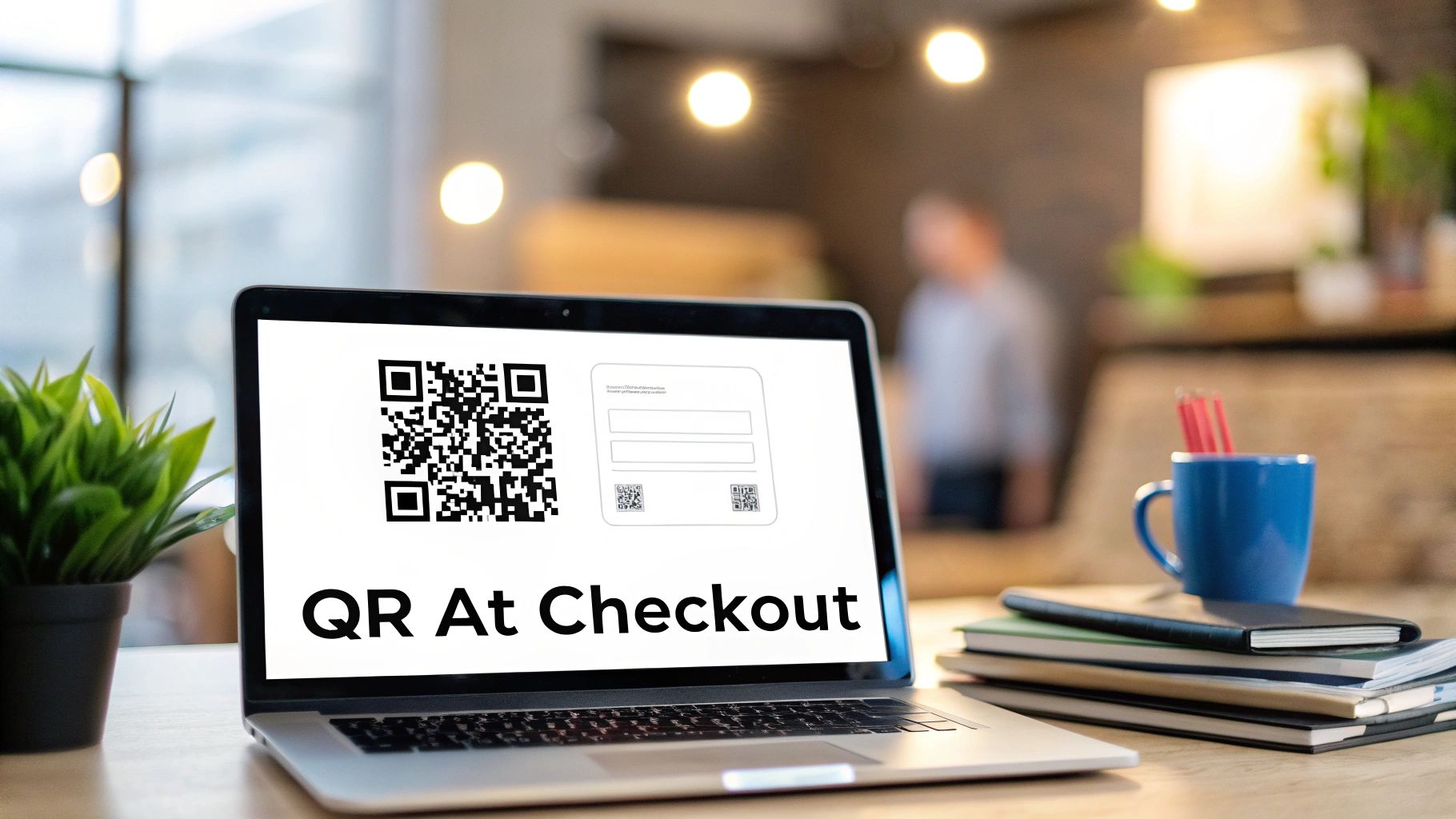
It's one thing to understand how a coin QR code works in theory, but it's another to actually get it working on your live checkout page. Thankfully, this isn't a massive technical hurdle anymore. You don't need a team of developers for a custom build just to start accepting crypto. The goal is to get up and running securely, with as little fuss as possible.
This is where pre-built plugins and extensions are a game-changer. Companies like BlockBee have already put in the hard work, creating powerful plugins for the biggest e-commerce platforms out there, including WooCommerce, PrestaShop, and Magento. Instead of getting tangled up in API docs and custom code, you can have a complete crypto payment gateway ready to go in minutes.
Why a Plugin Makes All the Difference
Think of a plugin as a ready-made bridge connecting your store to the payment processor's network. It handles all the important stuff behind the scenes, from creating the payment request to watching the blockchain for confirmation and then updating the order in your dashboard.
This level of automation is a huge win. It frees you up to focus on your business, not the nitty-gritty of crypto transactions. The plugin ensures every single customer gets a unique, dynamic QR code for their specific order—which is absolutely essential for a smooth and secure checkout.
If you want to dive deeper into how these systems connect, our complete guide on e-commerce payment gateway integration walks through the entire process.
A Quick Look at the WooCommerce Setup
Since WooCommerce powers a massive number of online stores, it's a great real-world example of how straightforward this can be. With the BlockBee plugin, integrating crypto payments is really just a matter of configuration.
Here’s the basic rundown of what’s involved:
- Install the Plugin: First, you’ll grab the BlockBee plugin—either from the official marketplace or directly—and upload it to your WordPress site. A single click gets it activated.
- Plug in Your API Key: Next, you just head over to the plugin’s settings. This is where you'll paste in the API key from your BlockBee account, which securely links your shop to the payment service.
- Tweak the Settings: You can then tailor the checkout experience. Choose which cryptocurrencies you want to offer, decide on confirmation thresholds, and customize the payment title and description your customers see.
- Flip the Switch: Save your settings, and that's it. The new payment option is live. No complicated deployment or endless testing needed.
When a customer chooses to pay with crypto, the plugin instantly talks to the BlockBee API. It sends the order total, and BlockBee sends back a unique deposit address and a ready-to-scan coin QR code. This whole conversation happens in the blink of an eye.
What Happens After the Customer Scans?
The automation doesn't just stop at generating the code. The real magic of an integrated system is what comes next, creating a hands-off workflow all the way through to fulfillment.
- Blockchain Monitoring: The BlockBee system immediately starts watching the blockchain for a payment to the address it just created.
- Automated Status Updates: As soon as the transaction gets enough confirmations to be considered secure, a callback notification is sent to your store.
- Seamless Order Fulfillment: Your store’s plugin automatically updates the order from "Pending Payment" to "Processing" or "Completed," which kicks off your shipping process.
This automated reconciliation means you can forget about manual checks. You'll never find yourself trying to match wallet addresses to order numbers. The system guarantees that an order is only marked as paid after the funds are locked in on the blockchain, giving you a totally secure and efficient sales cycle.
Ready to Bring QR Code Payments to Your Checkout?
So, there you have it. We've walked through everything from the anatomy of a payment URI to the practical steps for building a secure, automated QR code system. The benefits of doing this right are pretty hard to ignore.
By putting this into practice, you’re not just adding a new payment option; you’re making the entire checkout process smoother and faster for your customers. More importantly, you're getting rid of those frustrating—and potentially costly—transaction errors that happen when someone fumbles a long wallet address.
It's Time to Get Started
The real game-changer here is the security you gain with dynamic, single-use QR codes. This isn't just a "nice-to-have" feature. It’s your strongest defense against common fraud tactics and guarantees that every payment lines up perfectly with its order.
Moving to dynamic coin QR codes does more than just upgrade your tech. It sends a clear message that your business is secure, forward-thinking, and ready for a global, crypto-native customer base.
The next logical step is to dive in and start building. I'd recommend exploring the BlockBee platform firsthand. Check out their API documentation to see just how straightforward it is to integrate this into your existing setup. Your journey to frictionless crypto payments is ready when you are.
Got Questions? We've Got Answers
Stepping into crypto payments always raises a few good questions, especially when you're setting things up for the first time. Here are some of the most common things people ask when it comes to using coin QR codes for their business.
Static vs. Dynamic QR Codes: What's the Real Difference?
A static QR code is the simplest form—it's just a fixed wallet address that never changes. Think of it like a permanent sign pointing to your donation jar. It’s fine for that, but it's a terrible idea for a business.
A dynamic QR code, on the other hand, is generated fresh for every single transaction. It’s packed with specific details, like the exact amount to be paid and a unique order ID. For anyone running a business, this is the only way to go.
Here's the bottom line: for any commercial use, dynamic QR codes are the only secure and practical choice. They eliminate confusion between orders, prevent a customer from trying to reuse an old payment confirmation, and make automatic order reconciliation possible. This is exactly what platforms like BlockBee are built to do.
Can I Use Just One QR Code for All My Different Cryptos?
Simply put, no. A standard coin QR code is specific to one blockchain. A Bitcoin QR code is only for Bitcoin, and an Ethereum one is only for Ethereum. If you mix them up and send funds to the wrong type of address, that money is gone for good.
This is a huge hurdle that a proper payment processor solves. Instead of showing a single, confusing QR code, a system like BlockBee lets the customer pick their crypto first. Once they choose, say, Litecoin, the system instantly generates the correct Litecoin-specific QR code for their transaction. It makes the entire process seamless and error-proof.
How Can I Be Sure a QR Code Payment Actually Went Through?
This is critical: never trust a customer's phone screen showing a "payment sent" message. It’s incredibly easy to fake those confirmations. The only real proof is the transaction itself, verified on the blockchain.
This is where server-side verification isn't just a nice-to-have; it's essential for security. A professional payment gateway handles all of this behind the scenes.
- It Watches the Blockchain: The system monitors the network in real-time for the payment to arrive at the unique address it generated for that specific order.
- It Waits for Confirmations: It doesn't just see the payment; it waits for it to be confirmed by the network multiple times, making it irreversible.
- It Sends a Secure Signal: Once fully confirmed, the system sends a secure notification (often called a webhook or callback) directly to your e-commerce platform.
That callback is your green light. It’s the definitive signal that tells your store to automatically switch the order from "pending" to "paid" and kick off your fulfillment process. No manual checking, no fraud risk—just a smooth, automated operation.
Ready to add a secure, professional crypto payment system to your store? With BlockBee, you can get dynamic coin QR code payments up and running in minutes. Our official plugins and powerful API make it easy. Start accepting crypto the right way by visiting https://blockbee.io.
Review Us