
How to Setup a Bitcoin Wallet for Your Business: how to setup a bitcoin wallet
Getting your business set up with a Bitcoin wallet is the first real step into managing your own digital assets. The whole process really just comes down to a few key decisions: picking the right kind of wallet, creating it in a secure environment, and, most importantly, backing up a string of words called a seed phrase.
For any business, the only way to go is with a non-custodial wallet. This means you—and only you—hold the keys. It’s the difference between holding cash in your own safe versus leaving it in someone else's.
Your First Steps in Setting Up a Bitcoin Wallet
Diving into Bitcoin might seem a little intimidating, but creating your first wallet is a pretty straightforward process. A Bitcoin wallet isn't like a regular wallet that holds physical cash. Instead, think of it as a special keychain that holds the secret codes—your private keys—which give you access to your money on the Bitcoin network.
The single most important choice you'll make right at the start is to use a non-custodial wallet. This setup gives you absolute control, so you're never depending on a third-party company to manage your funds. There’s a well-known saying in the space that captures this perfectly: "Not your keys, not your coins."
Getting the Fundamentals Right
Before you even start looking at different wallet brands or apps, you need to get your head around two concepts that are central to everything: the seed phrase and the idea of self-custody.
The Seed Phrase: This is a list of 12 or 24 random words that serves as the master key to your entire wallet. If your phone breaks or your laptop gets stolen, this phrase is the only thing that will let you recover your Bitcoin. Keeping it safe is priority number one.
Non-Custodial Control: This simply means you are the one holding the private keys. It's the opposite of leaving your funds on a crypto exchange, which is a custodial service. With a non-custodial wallet, no one can freeze your account, seize your funds, or lose them in a hack. For a business, this level of sovereignty is essential.
The explosive growth in crypto makes these security basics more important than ever. The crypto wallet market was valued at USD 18.96 billion in 2025 and is on track to hit USD 54.79 billion by 2029. This massive adoption means getting the setup right from day one is critical. If you're interested in the data, you can see more about these industry trends in the full analysis from Research and Markets.
Here’s a quick rundown of the journey ahead.
Bitcoin Wallet Setup at a Glance
This table gives you a high-level look at the key stages involved in setting up a non-custodial Bitcoin wallet for your business.
| Stage | Key Action | Critical Focus |
|---|---|---|
| Foundation | Choose wallet type and understand seed phrases. | Balance security needs with operational convenience. |
| Creation | Generate the wallet and securely back up the seed phrase. | Offline generation and redundant physical backups. |
| Configuration | Set up for receiving and sending payments. | Address derivation and fee management. |
| Integration | Connect the wallet to payment systems like BlockBee. | API key security and webhook configuration. |
| Security | Implement best practices for ongoing management. | Hardware wallets for cold storage and multisig for teams. |
Each of these stages builds on the last, creating a secure foundation for your crypto operations.
The Three Main Wallet Choices
Next, you need to pick the type of wallet that fits your business. Each one strikes a different balance between day-to-day convenience and Fort Knox-level security.
Software Wallets (Hot Wallets): These are the apps you install on your computer or smartphone. They’re always connected to the internet, which makes them great for quick, frequent payments but also leaves them more vulnerable to online attacks. They’re a solid choice for holding smaller, operational amounts of Bitcoin.
Hardware Wallets (Cold Wallets): These are small, physical devices that look a bit like a USB stick. They keep your private keys completely offline. To send a transaction, you sign it on the device itself, so your keys never touch your internet-connected computer. This makes them the gold standard for storing any significant amount of funds securely.
Multisignature (Multisig) Wallets: This is a more advanced setup that requires more than one key to approve a transaction. You can think of it like a bank vault that needs two or three people to turn their keys at the same time. For a business, this is an incredibly powerful way to prevent unauthorized access and eliminate a single person as a point of failure.
Choosing the Right Wallet for Your Business
Picking the right Bitcoin wallet isn't just a technical step—it’s a core business decision. It directly impacts your security, your day-to-day operations, and how you manage your company’s digital assets. This is about finding the perfect balance between accessibility for payments and iron-clad security for your reserves.
Think of a simple software wallet as your digital cash register. It’s perfect for handling daily transactions quickly and efficiently. A hardware wallet, on the other hand, is like a fortified bank vault, built to secure large sums offline and away from digital threats.
This choice is more critical than ever. On-chain data reveals a massive surge in crypto adoption, with US transaction volume jumping 50% between January and July 2025 compared to the previous year. That’s over $2.4 trillion in fiat on-ramps, and with Bitcoin dominating the market at 41%, the need for smart, secure wallet solutions has never been greater.
Finding the Right Fit for Your Operations
So, how do you match a wallet to your actual business needs? Let's get practical. Not every business requires a Fort Knox-level setup, and over-complicating things can create just as many problems as being too relaxed about security.
For a small online shop just dipping its toes into accepting Bitcoin, a desktop software wallet like Electrum or Sparrow Wallet is often a fantastic starting point. They offer a great mix of user control and useful features, letting you manage incoming payments from a dedicated work computer without a massive learning curve.
But if you’re a larger company or an investment firm holding significant crypto, the game changes completely. Your focus shifts from everyday convenience to uncompromising security and strict internal controls. For that, you need a more robust solution.
Key Takeaway: There's no single "best" wallet. The right choice for your business depends entirely on your transaction volume, the value of the assets you're holding, and your internal security policies.
Comparing Wallet Types for Business
To make the decision clearer, let's break down the main non-custodial wallet types. Each has its own strengths and is suited for different business scenarios. This table should help you pinpoint which one aligns best with your goals.
| Wallet Type | Best For | Security Level | Ease of Use |
|---|---|---|---|
| Software Wallets | Daily transactions, e-commerce checkouts, operational funds. | Moderate | High |
| Hardware Wallets | Long-term cold storage, large reserve management, treasury. | Very High | Moderate |
| Multisig Wallets | Corporate governance, team access, eliminating single points of failure. | Highest | Low to Moderate |
Ultimately, many businesses end up using a combination of these: a software wallet for daily cash flow and a hardware or multisig wallet for the main treasury.
Hardware Wallets: Your Digital Vault
When it comes to securing funds that you don’t need for immediate operations, nothing beats a hardware wallet. Devices from trusted names like Ledger or Trezor are the gold standard for a reason. They keep your private keys completely offline in a purpose-built, secure chip.
Here’s why that matters: even if your main business computer gets riddled with malware, your funds are safe. The keys never leave the physical device.
To authorize a significant transfer, you have to physically press a button on the device itself. This simple, manual step creates a critical "air gap" between your assets and the internet, making it practically impossible for a remote hacker to drain your company’s funds.
Multisig Wallets: Security Through Teamwork
What happens when multiple people need access to company funds? Relying on a single person creates a huge risk. If they leave the company, lose their device, or act maliciously, you're in serious trouble. This is exactly the problem that a multi-signature (or multisig) wallet solves.
A multisig wallet requires signatures from multiple keys before any transaction can be approved. For instance, you could set up a "2-of-3" wallet where any two of three keyholders—say, the CEO, CFO, and CTO—must sign off to move funds.
This setup brings traditional corporate governance into the digital asset world.
- Stops Internal Fraud: No single employee can run off with the company's Bitcoin.
- Creates Redundancy: If one key is lost or compromised, the funds are still secure and accessible using the other keys.
- Enforces Accountability: It builds a formal, auditable approval process right into your payment workflow.
Understanding these wallet options is crucial, especially when you consider the increasing trend of e-commerce platforms accepting cryptocurrency. Getting your wallet infrastructure right from the start is no longer just a good idea; it's a business necessity. For a more fundamental overview of how these wallets actually work under the hood, check out our guide on crypto wallets explained. It breaks down the technology even further to help you make a truly informed choice.
A Practical Walkthrough of Wallet Creation and Security
Theory is great, but getting your hands dirty and actually creating your first Bitcoin wallet is where the real learning happens. This is the moment you generate your private keys and officially take full custody of your funds. We'll walk through this using a popular software wallet as a clear, real-world example.
The whole process really comes down to a few critical actions: getting the official software, generating a new wallet, and—most importantly—securely backing up that all-important recovery seed phrase. Getting this right from the very beginning is non-negotiable for anyone who's serious about security.
This flowchart gives you a high-level view of the decision-making process when choosing a wallet, starting with the most accessible options and moving toward the most secure setups for businesses.
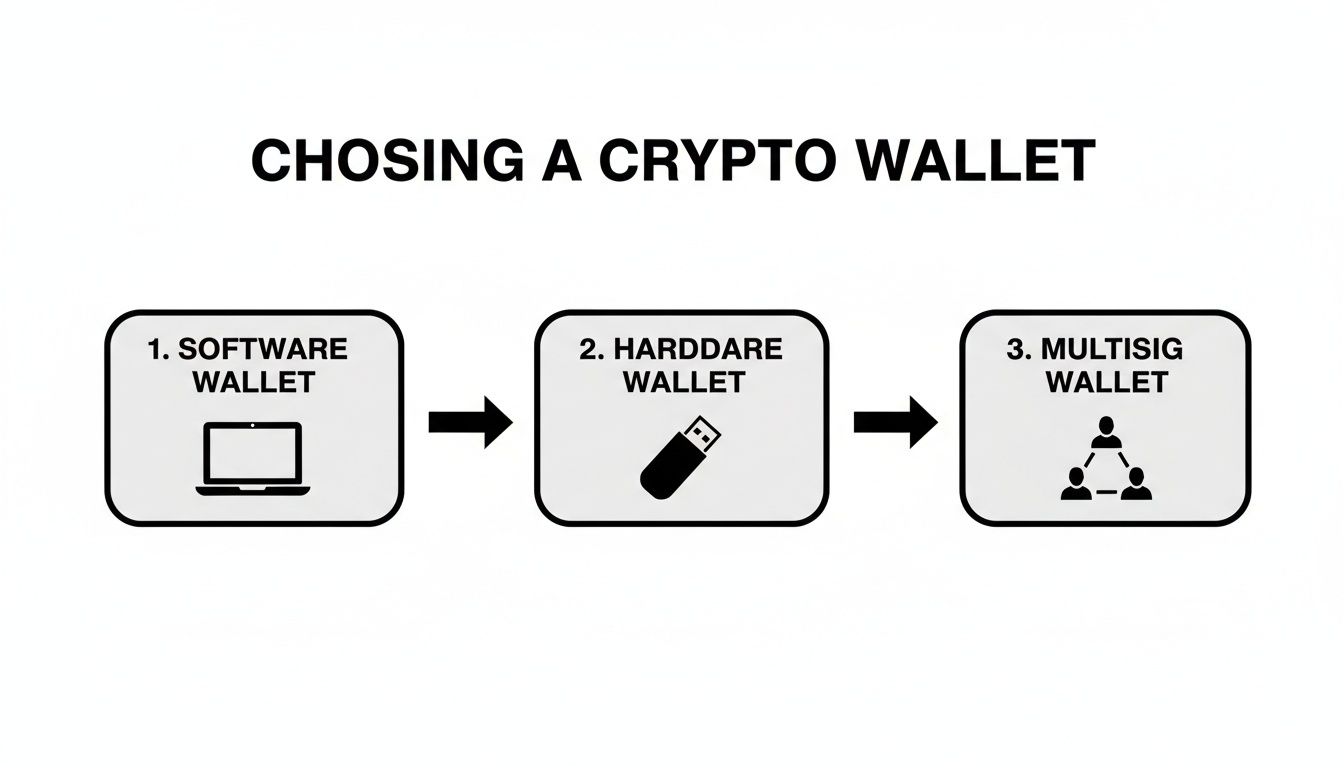
As you can see, the journey often begins with software wallets for everyday use, then progresses to hardware wallets for cold storage, and can even evolve into multisig configurations for robust corporate security.
Safely Sourcing Your Wallet Software
Your first move is to download the wallet software, and this step is a massive security checkpoint. I can't stress this enough: you must only download wallet software from the official source. Scammers are incredibly good at creating convincing fake websites or placing malicious ads to trick people into downloading compromised wallets.
The safest bet is to always navigate directly to the official website by typing the URL into your browser yourself. Don't click on ads or unverified links you find on social media or forums. If you're looking for a wallet like Electrum, for instance, you go straight to their official site, period.
Once you’ve safely downloaded and installed the software, the real setup begins.
Generating Your New Wallet and Seed Phrase
The first time you launch the software, it'll prompt you to create a new wallet. The application will then walk you through generating your seed phrase, sometimes called a recovery phrase. This is simply a list of 12 or 24 common words presented in a very specific order.
Critical Insight: This seed phrase is your Bitcoin. It's not just a password. With this phrase, anyone, anywhere, can recreate your wallet on any device and take complete control of your funds. It needs to be protected above all else.
The wallet software will show you the words, usually one by one. Your only job in this moment is to write them down—accurately and in the correct order.
- Write the words on paper. Seriously. Don't type them into a notes app, email them to yourself, or take a screenshot. Digital copies are a hacker's dream.
- Number each word clearly. The order is just as critical as the words themselves.
- Verify your backup. The software will then make you re-enter the words to prove you wrote them down correctly. Don't get lazy and skip this.
For a popular mobile wallet like BlueWallet, the process is similar: install the app, hit "create a wallet," and carefully write down the BIP39 compliant seed phrase it gives you. This is absolutely vital, especially when you consider that 74% of crypto owners hold Bitcoin, making secure key management a top priority for millions.
The Importance of Offline Backups
Once that seed phrase is written down, you need to store it somewhere safe—and offline. Think of it like the deed to your house. It proves ownership and has to be protected from theft, fire, floods, and anything else you can imagine.
Here are a few best practices I always recommend for storing backups:
- Use durable materials: For long-term peace of mind, consider stamping the words onto a small metal plate to make it fireproof and waterproof.
- Create multiple copies: Store them in different, secure physical locations. This adds redundancy in case one location is ever compromised or destroyed.
- Maintain total secrecy: Don't tell people where your backups are. And never, ever share the words with anyone for any reason. A legitimate wallet provider or support team will never ask for your seed phrase.
Getting a deep understanding of how seed phrases work is crucial. To really dive in, check out our guide on essential seed phrase security practices to truly protect your assets.
Understanding Your Wallet Password
During setup, you'll also create a password. It's easy to get this confused with your seed phrase, but they do very different jobs.
- Your Password: This is for daily access to the wallet app on your specific device. It encrypts the wallet file on your computer or phone, stopping someone with physical access from just opening it up and sending your funds.
- Your Seed Phrase: This is your disaster recovery plan. You only use it when you need to restore your entire wallet on a new device because the original was lost, stolen, or broken.
If you forget your password, no big deal—you can always use your seed phrase to restore the wallet and set a new one. But if you lose your seed phrase, there is no recovery. Your funds are gone forever. That distinction is the absolute bedrock of non-custodial wallet security.
Putting Your Wallet to Work in Your Business
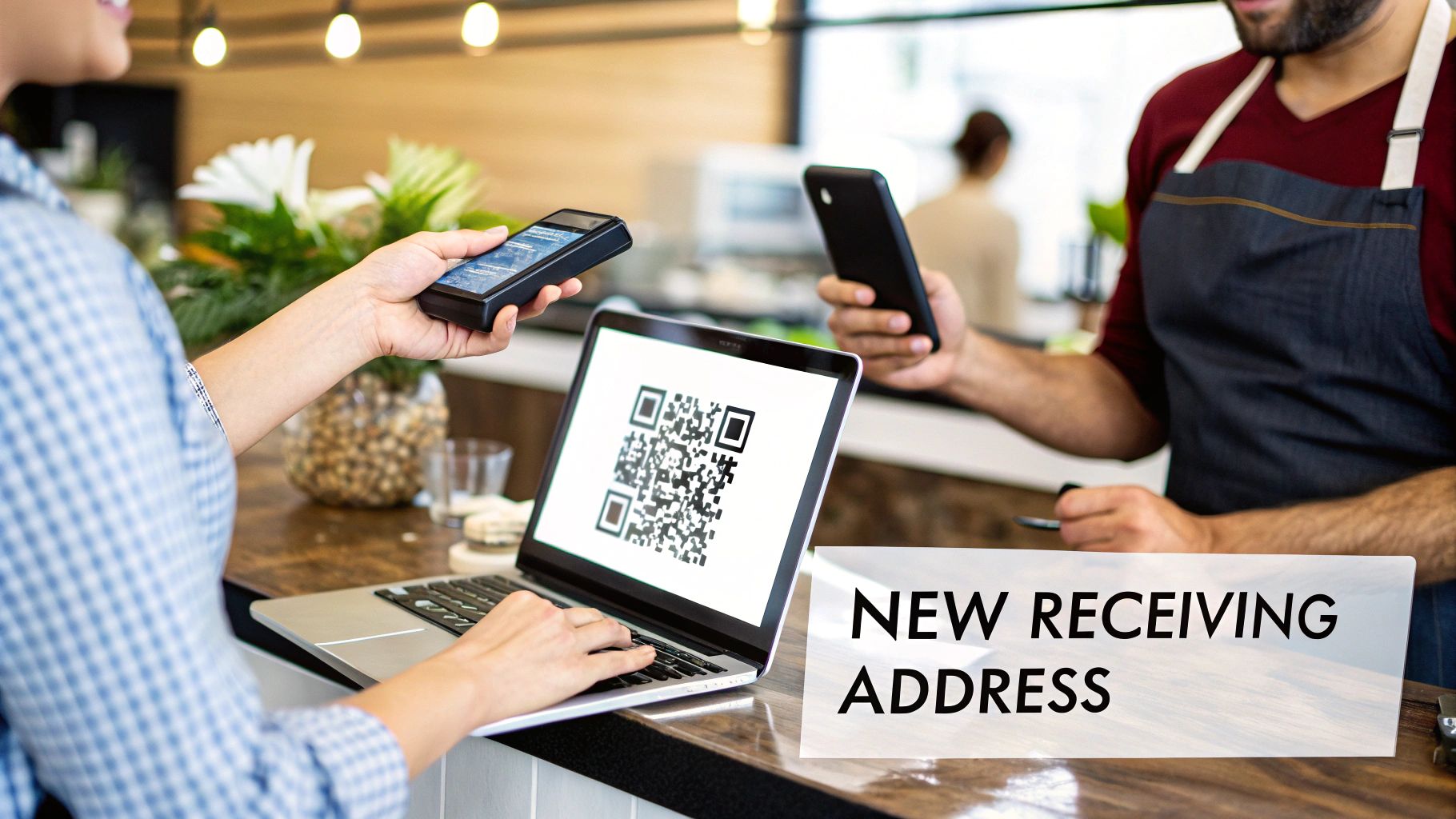
Alright, you've created a new, secure wallet. That's a great start, but now it's time to turn that digital vault into a practical tool for your business. This is where we get into the nuts and bolts of actually receiving funds, sending them out, and navigating the costs of using the Bitcoin network.
The core idea here is learning to manage your receiving addresses properly. Think of them as unique invoice numbers for every payment. Getting this one practice right is a massive leap forward for protecting your company's financial privacy.
Generating Addresses and Protecting Your Privacy
Here’s a key concept to internalize: your Bitcoin wallet can generate a virtually endless supply of receiving addresses. It's helpful to think of the wallet itself as your main bank account, while each address is like a single-use invoice number you give to a client. Once they pay that invoice, you'd never use that same number again.
Using a fresh address for every single transaction is non-negotiable for business privacy. If you reuse addresses, anyone with that address can plug it into a public blockchain explorer and see every payment ever sent to it. This opens the door for competitors to track your revenue or for bad actors to analyze your cash flow.
The good news? Modern wallets, specifically Hierarchical Deterministic (HD) wallets, make this incredibly easy.
- Requesting a Payment: When a customer needs to pay, just open your wallet and tap "Receive." The software automatically generates a brand-new address and presents it as both a text string and a scannable QR code.
- No Extra Hassle: You don't have to keep a spreadsheet of these addresses. The wallet handles all the bookkeeping in the background, bundling the funds into your total balance.
This habit is fundamental. It keeps your transaction history compartmentalized and private—exactly what you need in a business setting.
Sending Your First Test Transaction
Before you start pointing real customer payments to your new wallet, you need to run a small, low-stakes test. This is the only way to be 100% certain you have full control over your funds and that your backup works perfectly. Trust me, you’d rather find a problem with a $5 transaction than a $5,000 one.
Here’s how I always recommend doing it:
- Fund Your Wallet: First, send a tiny amount of Bitcoin—a few dollars is more than enough—from an exchange or another wallet to one of your new wallet's receiving addresses.
- Wait for Confirmation: Be patient and wait for the transaction to get confirmed on the blockchain. Your wallet’s interface will update to show the incoming funds are spendable.
- Send It Back: Now, create a new transaction from your wallet and send those funds right back where they came from. This proves you can successfully sign and broadcast an outgoing payment.
This simple dry run confirms two critical things: you truly control the keys, and you're now familiar with the wallet’s interface for sending funds and setting transaction fees.
A Quick Word on Transaction Fees
Whenever you send Bitcoin, you have to attach a small fee to pay the miners who process and secure the transaction. This fee isn't a percentage of the amount you're sending; it's based on the transaction's data size and how congested the network is at that moment. For urgent payments, you’ll need a higher fee to get confirmed quickly.
Your wallet will almost always suggest a fee based on the current network conditions. Most give you simple options like "Low," "Medium," or "High" priority, letting you make a trade-off between cost and speed. For a customer payment, I'd stick with medium or high priority. For moving your own funds around internally, a low-priority fee is usually just fine.
Scaling Up With a Payment Gateway
Manually creating an invoice for every single customer is fine when you're just starting out, but it simply doesn't scale. This is where a non-custodial payment gateway like BlockBee becomes essential. It’s the bridge that connects your secure, self-custody wallet to your e-commerce platform, automating the entire checkout flow.
Integrating a service like BlockBee allows you to:
- Automate Address Generation: The system generates a unique payment address for every single order, automatically.
- Monitor for Payments: It watches the blockchain for you and marks an invoice as "paid" the moment the funds are confirmed.
- Retain Full Custody: This is the best part. The Bitcoin goes directly from the customer to your wallet. The payment gateway never touches or holds your funds, so you maintain 100% self-custody.
This setup gives you the professional, seamless experience of a traditional payment processor but with the critical advantage of keeping you in complete control of your money. It’s the final piece of the puzzle for learning how to setup a bitcoin wallet that’s truly ready for business.
Maintaining Long-Term Wallet Security
Getting your wallet set up is the first big step, but security is never a "set it and forget it" deal. It's a continuous process, a discipline you have to maintain to protect your business's assets for the long haul. As your company grows, your security needs will evolve far beyond just having a simple backup.
Think of it this way: you’ve built a secure vault. Great. Now it's time to add extra locks, create ironclad rules for who can get in, and run regular drills to make sure it's as impenetrable as you believe. This is what separates a vulnerable business from a resilient one.
The Power of the 25th Word
One of the single most effective upgrades you can make to your seed phrase security is adding a passphrase, often called the "25th word." This is a custom word or phrase you create that acts as a second password for your entire seed phrase.
If someone were to find your 12 or 24-word backup, they'd still hit a wall. Without your unique passphrase, they can't touch your funds. This simple addition creates an incredibly powerful defense against physical theft. You could store the original seed phrase more openly, while the passphrase stays locked away somewhere else entirely—maybe even just in your head.
Essential Operational Security Habits
Operational Security, or OpSec, is all about the daily habits and procedures you follow to minimize risk. For any business handling Bitcoin, solid OpSec isn't optional; it's fundamental.
Here are a few core practices you should put in place right away:
- Use a Dedicated Device: If you can, assign a specific computer or phone only for managing your crypto assets. This machine should be kept clean, free of extra software, and never used for general web browsing or checking personal email, which are prime targets for malware.
- Beware of Phishing Scams: Scammers have gotten incredibly good at their craft. They create fake wallet update emails, spoofed support chats, and websites that look identical to the real thing. Never type your seed phrase into any website or app unless you are absolutely certain you're doing a wallet recovery on a legitimate, trusted device.
- Verify Software Authenticity: Always, always double-check the source when you download wallet software or an update. A compromised update gives an attacker a direct key to your funds.
Maintaining your wallet's long-term security is critical and often ties into broader security measures like robust user authentication. For more general insights on implementing secure login systems, particularly for mobile applications, you might find valuable information on robust Android authentication practices.
Test Your Backup Regularly
A backup you haven't tested is nothing more than a prayer. You absolutely must run a practice recovery drill from time to time. This ensures your written-down seed phrase is correct and that you know the recovery process inside and out. It's a simple test that prepares you for a real emergency.
Pro Tip: The moment you unbox a new hardware wallet, perform a test recovery before sending a single satoshi to it. Set it up, get the seed phrase, wipe the device completely, and then restore it using that phrase. This builds massive confidence in your entire security setup. To dig deeper, check out our guide on what hardware wallets are, which breaks down their security model.
Team Protocols for Multisig Wallets
If your business uses a multisignature wallet, creating clear protocols for managing the keys is mission-critical. You need to formally define who the keyholders are, where each key (or its seed phrase backup) is stored, and exactly what the procedure is for signing transactions.
A solid baseline protocol should outline:
- Keyholder Roles: Clearly assign responsibility for each key to specific individuals (e.g., CEO, CFO, Head of Operations).
- Storage Locations: Document the secure, geographically separate locations for each hardware wallet or seed phrase backup.
- Signing Procedure: Establish a formal, auditable process for initiating and co-signing transactions. This ensures no single person can ever act alone.
This kind of structure elevates a multisig wallet from just a technical feature into a cornerstone of your corporate governance, protecting your company’s assets for years to come.
Got Questions About Your Bitcoin Wallet Setup?
Even with the best guide in hand, you're bound to run into questions when setting up a Bitcoin wallet for the first time. It’s only natural. Getting these cleared up now can save you a ton of time, help you sidestep some expensive mistakes, and give you the confidence you need to manage your business's digital assets.
Let's walk through some of the most common questions I hear from people just getting started.
"What If I Forget My Wallet Password?"
This is a classic fear, but don't panic. Forgetting the password you use to open your wallet app isn't the disaster you might think it is. That password is just a gatekeeper for daily access on that specific device; the real key to your kingdom is your seed phrase.
If you lose or forget the password, you can just restore your wallet. Simply reinstall the software or download it on a new device. During the setup process, you’ll see an option like "restore from backup" or "import wallet." Select that, type in your 12 or 24-word seed phrase, and you’re back in. This process rebuilds your private keys and restores full access to all your funds, letting you set a brand new password.
The Golden Rule: A password protects your device, but your seed phrase is your Bitcoin. If you lose that seed phrase, your funds are gone forever. There is no "forgot my seed phrase" link.
"Can I Use the Same Wallet on My Phone and Computer?"
Absolutely. This is one of the best features of modern HD (Hierarchical Deterministic) wallets. You can set up the main wallet on your work computer and then use the very same seed phrase to restore an instance of it on your phone or a secondary laptop.
Once you do, your balance, transaction history, and addresses will all sync up perfectly across every device. It’s incredibly handy for managing funds whether you're at your desk or on the move. Just keep in mind that this convenience comes with a trade-off: it increases your security risk. Each device becomes a potential entry point, so make sure every single one is secure, kept up-to-date, and completely free of malware.
"What's the Real Difference Between Custodial and Non-Custodial?"
This is probably the most critical concept to grasp in all of crypto. It all boils down to a single, simple question: who controls your private keys?
Non-Custodial Wallet: You hold the seed phrase. That means you, and only you, have control over the private keys. This gives you complete ownership and sovereignty over your money. No one can freeze your account, seize your assets, or lose them for you.
Custodial Wallet: A third party, usually a crypto exchange, holds the private keys for you. This might feel easier for a total beginner, but it means you're fundamentally trusting that company with your funds, just like a bank.
There’s a well-known saying in this space: "Not your keys, not your coins." It perfectly sums up why a non-custodial wallet is the only serious choice for a business.
"How Do I Actually Connect This Wallet to My Online Store?"
You definitely don't want to be manually creating a new address for every single customer order—that would be a nightmare. To link your non-custodial wallet to an e-commerce platform like WooCommerce or Magento, you’ll need a payment processor to act as the middleman.
This is exactly what a service like BlockBee was built for. Here’s how it works: you give BlockBee your wallet's extended public key (or xpub). The xpub is a special key that allows the system to generate an endless supply of unique receiving addresses for you without ever touching or seeing your private keys.
The whole checkout process becomes automated:
- A customer hits "buy" on your store.
- BlockBee instantly generates a fresh Bitcoin address tied to your xpub.
- The customer sends their payment right to that address.
- The funds land directly and immediately in your secure, non-custodial wallet.
This gives you the smooth, professional checkout experience your customers expect, while you maintain 100% control over your money from start to finish.
Ready to integrate secure, non-custodial crypto payments into your business? BlockBee provides the tools you need to connect your wallet to your e-commerce store, automate invoicing, and manage payouts with ease. Start accepting crypto payments today.
Review Us