
Finding the Best Payment Gateway for Shopify
Choosing the best payment gateway for your Shopify store often boils down to a classic dilemma: simplicity versus flexibility. If you're just starting out, Shopify Payments is almost always the right move. Its built-in nature means you skip extra transaction fees and get up and running instantly. But if your sights are set on a global audience or you need to cater to specific niches—like crypto users—then third-party options like Stripe, PayPal, or a specialist like BlockBee start to look a lot more attractive.
Why Choosing the Right Shopify Payment Gateway Matters

Picking a payment gateway isn’t just another task on your store setup checklist; it's a core business decision. Think of it as the digital bridge that securely moves money from your customer’s bank to yours. Get it wrong, and you could be looking at higher cart abandonment, punishing fees, and a lot of operational friction.
But nail this choice, and you create a smooth, trust-building checkout experience that can directly boost your bottom line on every single sale. It all comes down to a handful of factors that you need to weigh carefully.
Core Decision Factors for Your Store
Before we jump into comparing providers, you need to know what to look for. Your business model, where your customers are, and your growth ambitions will dictate which features are deal-breakers and which are just nice to have.
- Transaction Fees: This is the most obvious cost. It's usually a percentage of the sale plus a small fixed fee for every transaction.
- Currency Support: If you're selling internationally, accepting payments in local currencies isn't a luxury—it's essential for building trust and avoiding confusion.
- Customer Experience: How seamless is the checkout process? A clunky or confusing payment step is a conversion killer.
- Security and Compliance: Non-negotiable. Your gateway must be PCI DSS compliant to protect sensitive customer data and your business.
A huge part of a great customer experience is speed. Features that accelerate the checkout can make a massive difference in your conversion rates. You can dig into the specifics of express checkout benefits to see just how impactful this can be.
A Quick Look at the Top Contenders
To help you find the best fit, we're going to compare the heavy hitters. Each serves a distinct purpose, from all-in-one convenience to accessing very specific markets. The trend toward integrated solutions is impossible to ignore. In Q2 2025, Shopify Payments processed an incredible $45.9 billion in Gross Merchandise Volume—a 34% jump from the year before. This shows a clear preference for unified platforms.
Your payment gateway is more than a tool—it's a critical part of your brand's promise to deliver a secure and seamless customer journey from browsing to buying.
Here's a quick look at the providers we'll be breaking down:
| Gateway | Primary Strength | Ideal Use Case |
|---|---|---|
| Shopify Payments | Seamless Integration | New and US-based Shopify stores. |
| Stripe | Customization & APIs | Businesses needing tailored checkout flows. |
| PayPal | Brand Trust | Stores with a global customer base. |
| BlockBee | Crypto Payments | Merchants targeting Web3 users. |
Understanding Shopify Payments: The Built-In Solution
When you first set up a store, Shopify makes it incredibly easy to get started with its own native solution, Shopify Payments. It’s the default option for a reason. For most merchants, especially those just starting, it’s the path of least resistance.
The big draw is its flawless integration. You don't have to juggle third-party accounts or wrestle with complex API keys. Everything—sales, refunds, payout reports—is managed right from your Shopify dashboard. That kind of simplicity is gold when you'd rather spend your time on marketing and product, not backend configurations.
The Critical Advantage: Avoiding Extra Fees
Here’s the part that really hits the bottom line. If you opt for an external payment gateway, Shopify charges an additional transaction fee on every sale. This fee ranges from 0.5% to 2.0%, depending on your plan, and it's on top of what the third-party provider already charges.
Using Shopify Payments is the only way to get that extra fee waived. Think about it: choosing another gateway means you’re essentially paying twice on every order. Those percentage points add up fast and can seriously erode your profit margins over time.
For processing credit cards, the fees are tied directly to your Shopify plan, which is pretty straightforward:
- Basic Shopify: 2.9% + 30¢ per online transaction
- Shopify Plan: 2.7% + 30¢ per online transaction
- Advanced Shopify: 2.5% + 30¢ per online transaction
As your business scales and you upgrade your plan, your rates get better. It’s a nice built-in reward for growth.
The Conversion Power of Shop Pay
Beyond just saving on fees, Shopify Payments unlocks a killer feature for boosting sales: Shop Pay. It’s an accelerated checkout that lets customers save their payment and shipping details for one-click purchasing on future visits.
This is huge. It slashes the friction that leads to abandoned carts. And the numbers back it up—by the end of 2024, Shop Pay had grown to over 200 million users globally and handled 38% of Shopify's gross payments volume. Merchants consistently see higher conversion rates with Shop Pay compared to guest checkouts, making it a powerful tool for turning browsers into buyers. You can dig into more Shopify payment statistics on chargebacks911.com.
For store owners, the choice often comes down to a simple calculation: the seamless experience and waived transaction fees of Shopify Payments often outweigh the specialized features of third-party gateways, at least in the beginning.
Understanding the Limitations
Now, for all its strengths, Shopify Payments isn't a one-size-fits-all solution. First, its availability is restricted to certain countries. If your business is based outside of these regions, you simply can't use it and will have to find a third-party gateway.
Second, there are strict rules about what you can sell. Shopify Payments has a list of prohibited products and services, often targeting high-risk industries. It's crucial to review their terms of service before you commit. If you sell regulated items or operate in a niche they don't support, you'll need to explore other payment providers from day one.
Comparing Top Third-Party Payment Gateways
While Shopify Payments is a fantastic out-of-the-box solution, many merchants find they need more. Sometimes it's about reaching a global audience, needing specific features, or just wanting more control. This is where third-party gateways come in, and picking the right one means digging deeper than just the headline transaction fees.
We're going to break down three of the biggest names you can plug into Shopify: Stripe, PayPal, and Authorize.net. Each serves a different kind of business, from nimble startups to established stores focused on iron-clad security.
Stripe: The Developer-First Powerhouse
Stripe has become the go-to for businesses that want total control over how they take payments. It's less of a simple gateway and more of a full-fledged payment platform designed for developers. Its powerful API is its crown jewel, letting you build highly customized checkout flows.
Let's say you're launching a subscription box service with a complex, tiered pricing model. Stripe's well-documented API makes building that kind of custom logic far more achievable than with a more restrictive system. That flexibility is what sets it apart.
Of course, with great power comes a bit of a learning curve. The basic Shopify setup is a breeze, but to truly unlock what Stripe can do, you'll likely need some technical know-how.
PayPal: The Global Trust Signal
PayPal’s strength isn’t in its API; it’s in its brand. With over 400 million active users worldwide, the PayPal logo is one of the most recognized and trusted symbols in e-commerce. For a new store, that's incredibly valuable.
Imagine a potential customer lands on your site for the first time. They’re interested, but hesitant to type their credit card information into a store they've never heard of. Seeing that familiar PayPal button can be the nudge they need to complete the purchase, instantly lowering that barrier of trust.
This is especially true for international customers who might not recognize other payment options but know and trust PayPal. It acts as a powerful shortcut to credibility.
Authorize.net: The Security-Focused Veteran
A Visa-owned company, Authorize.net has been in the payment game for a long time. It’s a workhorse, built for established businesses where security, reliability, and serious fraud prevention are the top priorities.
This is the gateway for merchants in high-risk industries or those selling big-ticket items. If a single fraudulent chargeback could be a major blow, Authorize.net's advanced fraud detection suite is a lifesaver. You can fine-tune fraud filters based on IP location, transaction frequency, and dozens of other data points.
It’s less about a slick interface and more about rock-solid, enterprise-grade security.
Shopify Payment Gateway Feature Comparison
Choosing the right partner involves looking at the details side-by-side. Transaction fees are just the beginning; you also need to consider how each one handles international sales, security, and integration with your specific business model. The table below breaks down the key differences between the major players and a crypto-focused alternative.
| Feature | Shopify Payments | Stripe | PayPal | BlockBee (Crypto) |
|---|---|---|---|---|
| Primary Strength | Native integration, no extra Shopify fees | Developer-friendly API, customization | Global trust, conversion boost | Crypto acceptance, low fees, no chargebacks |
| Transaction Fees | 2.4% to 2.9% + 30¢ (plan-dependent) | Starts at 2.9% + 30¢ | Starts at 3.49% + fixed fee | No setup fees, very low transaction costs |
| Shopify Fee | None | 0.5% to 2.0% (waived on Plus) | 0.5% to 2.0% (waived on Plus) | 0.5% to 2.0% (waived on Plus) |
| Chargeback Risk | Standard chargeback process | Standard chargeback process | Strong Seller Protection policies | None (crypto transactions are final) |
| Payouts | 1-3 business days | 2-7 business days (configurable) | Instant to your PayPal balance | Instant to your wallet, 24/7 |
| Best For... | Most Shopify stores, simplicity | Custom checkouts, subscriptions | New stores building trust, global sales | Merchants wanting to accept crypto |
This comparison highlights that there's no single "best" option. A store focused on simplicity will love Shopify Payments, while one needing a bespoke subscription engine will gravitate toward Stripe. For those looking to tap into the crypto market, a specialized gateway like BlockBee is the only logical choice.
Situational Recommendations: Which One Is for You?
The right choice comes down to your business priorities. It’s not about which gateway is objectively better, but which one is the best fit for your specific situation.
For businesses aiming to expand globally or that need a truly custom checkout flow, Stripe offers an unmatched level of control. It’s built to scale with complex business models.
For a deeper look at how these gateways compare, especially when you factor in a wider array of payment options, check out this guide on the best payment gateway for ecommerce.
Here's a quick cheat sheet to guide your thinking:
- Go with Stripe if: You have developers on hand and need to build a unique payment experience, manage complex subscriptions, or handle a wide variety of international payment methods.
- Go with PayPal if: Your main goal is to maximize sales by giving customers a universally trusted and easy-to-use option, especially if you have a large international audience.
- Go with Authorize.net if: You're an established, high-volume business in a high-risk category. Advanced fraud protection is your absolute top priority.
Tapping into Crypto: Integrating BlockBee on Shopify
While your standard payment gateways have fiat currency covered, there's a whole different world of customers operating entirely in cryptocurrency. By accepting digital assets like Bitcoin or Ethereum, you open your Shopify store to a tech-savvy, global audience that prioritizes privacy and financial control. This is exactly where a specialized tool like BlockBee steps in, making it the go-to payment gateway for Shopify merchants ready to innovate.
BlockBee was built from the ground up to connect e-commerce with the crypto world. It lets you accept a massive range of cryptocurrencies without forcing you to become a blockchain expert overnight. More importantly, it directly solves two of the biggest headaches for online sellers: sky-high transaction fees and the constant threat of chargebacks.
Why Even Bother with Crypto on Your Shopify Store?
The case for adding crypto payments is stronger than you might think. For one, you immediately get access to a worldwide market. Many of these customers either don't have traditional banking or simply prefer the speed and low cost of crypto. Digital currency payments don't care about borders; they settle in minutes, not days.
Second—and this is a big one—cryptocurrency transactions can't be reversed. This single feature wipes out the risk of chargeback fraud, a problem that bleeds online merchants for billions every year. Once a crypto payment is confirmed on the blockchain, the money is yours. Full stop.
Offering crypto isn’t just a gimmick anymore. It’s a smart move to future-proof your business, slash your operational costs, and connect with a fast-growing segment of modern consumers.
Finally, the fees are a breath of fresh air. Instead of the typical 2-3% skimmed off the top by credit card processors, crypto transaction fees are often significantly lower. That means more of every sale goes straight to your bottom line.
How BlockBee Makes Crypto Payments Painless
BlockBee's real magic is its simplicity. It offers an officially supported Shopify plugin that automates the entire payment flow. From generating a unique wallet address for each customer's order to confirming the payment on the blockchain, it handles the heavy lifting so you can run your business.
The platform gives you a clean, intuitive interface to track all your crypto transactions.
This dashboard shows how BlockBee gives you a single screen to see your transactions, balances, and API settings. It makes managing crypto feel just as straightforward as handling your traditional payments.
A few standout features of the BlockBee integration really make a difference:
- Instant Payment Confirmation: You get an alert the moment a payment is verified, letting you ship orders faster.
- Non-Custodial Wallets: You always have full control of your money. Payments go directly to your personal wallet, not into some third-party holding account.
- Automatic Fund Forwarding: You can set rules to automatically consolidate payments into a primary wallet, which makes accounting so much easier.
- Transparent Fees: BlockBee uses a simple, low-fee model. There are no hidden charges or surprise monthly bills.
Getting Started with BlockBee on Shopify
Setting up BlockBee is refreshingly easy and doesn't require you to write a single line of code. Just install the BlockBee plugin from the Shopify App Store, grab your API keys from your BlockBee account, and paste in the wallet addresses for the coins you want to accept.
The customer’s checkout experience is just as smooth. When they choose to pay with crypto, they get a simple, clean interface to complete the purchase. To see it in action, you can check out the BlockBee checkout process and get a feel for what your customers will see.
By adding BlockBee, you're doing more than just enabling a new payment method. You're signaling that your business is forward-thinking and ready to serve a modern, global customer base. In a crowded e-commerce market, that's a powerful way to stand out.
A Strategic Framework for Choosing Your Gateway
Picking the right payment gateway for your Shopify store isn't about finding a one-size-fits-all solution. It's about finding the right fit for your business. To get there, you need to look past flashy feature lists and really dig into how you operate day-to-day. This means asking some tough questions that connect your business model to what a gateway truly offers.
First up, let's talk money. What’s your average order value (AOV)? If you're selling high-ticket items, a small difference in the percentage fee can save you a fortune, even if the fixed transaction cost is a bit higher. On the flip side, if you're moving a high volume of smaller items, that fixed per-transaction fee is what will eat into your profits, so you’ll want that as low as possible. A detailed payment gateway fees comparison can really open your eyes to how these numbers stack up over time.
Next, who are you selling to? If your customers are all in one country, a simple setup like Shopify Payments might be all you need. But if you’re aiming for a global customer base, your priorities shift dramatically. You'll need a gateway that handles multi-currency payments gracefully and offers the local payment methods people in those regions actually trust and use.
Tailoring Your Choice to Your Business Model
The ideal gateway for a brand-new dropshipping venture is almost never the best choice for an established company with a physical store. Your business model is the roadmap—it tells you which features are mission-critical and which are just noise. By zeroing in on your specific situation, you can avoid paying for bells and whistles you'll never use.
Let's break it down with a couple of real-world scenarios:
Scenario 1: A New Dropshipping Business with Global Ambitions
- The Big Challenge: Earning trust from international shoppers while operating on razor-thin margins.
- What to Look For: A gateway with strong brand recognition (like PayPal) is a must to overcome that initial customer hesitation. You also need competitive currency conversion rates. Adding an option like BlockBee for crypto can be a game-changer, opening up markets where traditional banking isn't as common.
Scenario 2: A High-Volume US Brand with a Custom Product
- The Big Challenge: Creating a seamless checkout experience to maximize conversions and integrating payment data with other systems.
- What to Look For: You'll want a gateway with a robust, developer-friendly API like Stripe to build a fully custom checkout. Since the customer base is domestic, Shopify Payments is also a fantastic option for its simplicity and built-in feel.
The best way to choose is to work backward. Start with what your customers need and where you plan to take your business. Your payment gateway should fuel your strategy, not hold it back.
Considerations for Switching Gateways
If your Shopify store is already up and running, moving to a new payment gateway is a big decision that requires some planning. The upside—lower fees, better features, new markets—has to be worth the short-term hassle.
Before you make the leap, think through these points:
- Subscription Data: Do you sell subscriptions? Make absolutely sure the new gateway can migrate your recurring billing data without causing failed payments for your loyal customers.
- Downtime: Schedule the switch for your slowest time of day or week. The last thing you want is to lose sales during a technical transition.
- Customer Communication: Give your customers a heads-up, especially if the change will require them to re-enter their saved payment information.
For merchants who are tired of high fees, chargeback fraud, and limitations on who they can sell to, crypto payments through BlockBee present a compelling strategic move.
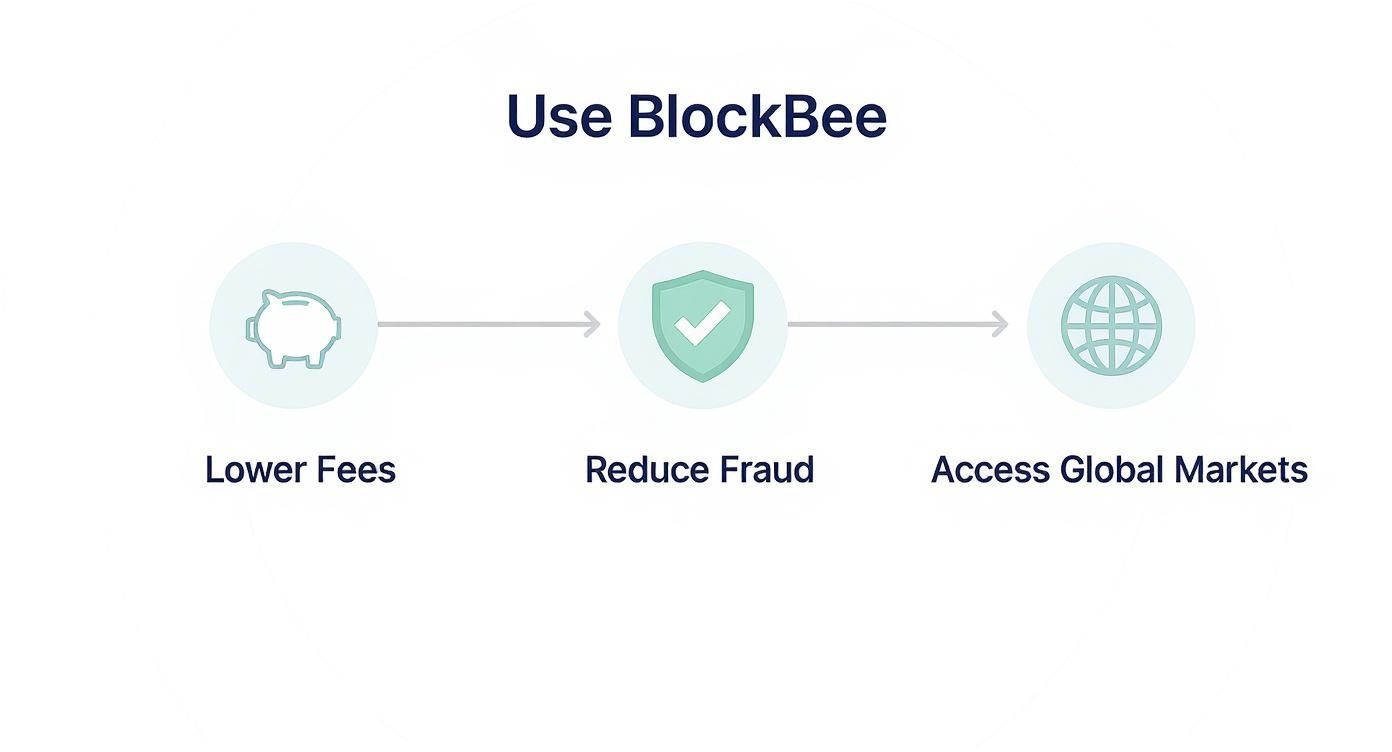
As you can see, if your biggest headaches are fees and fraud, a crypto gateway offers a direct and effective solution. In the end, by methodically matching your business needs to each provider's strengths, you can choose the best payment gateway for your Shopify store and move forward with confidence.
Frequently Asked Questions
Choosing the right payment gateway for your Shopify store can feel complicated. Let's break down some of the most common questions merchants ask to clear things up before you make a decision.
Can I Use Multiple Payment Gateways on Shopify?
Absolutely, and you probably should. Shopify is built to let you enable several payment gateways at once, which is a great way to give your customers more choice.
For instance, you could use Shopify Payments for all your standard credit card sales while also giving customers the option to check out with PayPal or a crypto gateway like BlockBee. Catering to different preferences like this can give your conversion rates a nice little bump. Just be mindful that Shopify charges its own transaction fee (from 0.5% to 2.0%) on top of any fees from third-party providers.
The only way around this extra fee is to either use Shopify Payments exclusively or upgrade to a Shopify Plus plan, where these fees are typically waived.
What Is the Difference Between a Gateway and a Processor?
It’s easy to get these two mixed up. Think of a payment gateway as the secure digital credit card terminal for your online store. It’s the front-end tech that encrypts and securely sends a customer's payment information from your site to the processor.
The payment processor is the financial institution working in the background. It’s the one actually communicating with the customer’s bank and your bank to confirm funds are available and handle the money transfer. Many modern services, including Shopify Payments and Stripe, bundle these two roles into one seamless package, which makes life a lot simpler for you.
How Do I Avoid Additional Shopify Transaction Fees?
The short answer? Use Shopify Payments. This is the only way to completely sidestep Shopify's extra transaction fees for credit card processing.
If you decide to use a third-party gateway like Stripe or PayPal for credit card payments, Shopify will add its own percentage fee to every single sale. This is on top of whatever the payment provider itself is charging you.
By sticking with Shopify Payments for card transactions, you avoid this double fee, which means more of each sale ends up in your bank account. For new or growing stores, this is often the biggest financial reason to use Shopify's native solution.
Ready to tap into new global markets and say goodbye to chargeback fraud for good? Integrate BlockBee with your Shopify store and start accepting cryptocurrency payments in minutes. Visit BlockBee today to get started.
Review Us