
A Guide to WooCommerce Crypto Payments
Thinking about accepting crypto on your WooCommerce store? It's a smart move. Far from being just a trend, integrating WooCommerce crypto payments is a practical business decision that can slash your transaction fees, get rid of chargeback fraud for good, and open up your shop to a whole new world of customers.
It’s about making your ecommerce business more efficient and ready for what's next.
Why Your Store Should Accept Crypto Payments
Let's get past the hype. There's a solid business case for adding crypto payments to your store, and it’s not just about looking modern. This is a strategic play to directly boost your bottom line and streamline how you operate. The benefits aren't just theoretical; they’re real, they’re fast, and they solve some of the oldest headaches in online retail.
The biggest win? Dramatically lower transaction fees. This is the main reason why crypto payment gateways are taking off on WooCommerce. Credit card companies can hit you with fees anywhere from 2.9% to 5% (plus other little charges), while most crypto gateways keep their rates under 1%. That's a direct boost to your profit margins, whether you're a small startup or a large enterprise.
Then there's the chargeback problem. With crypto, it's gone. Poof. Crypto transactions are final. Once a payment is confirmed on the blockchain, the customer can't dispute it or reverse it. This protects you from the fraud, expense, and wasted time that comes with traditional chargebacks.
Expanding Your Global Reach
By flipping the switch on WooCommerce crypto payments, you're instantly tapping into a huge and growing international market. Millions of people around the globe own digital currencies and are actively looking for places to spend them. This is a game-changer for cross-border sales, letting you sidestep the usual mess of currency conversions and expensive international bank fees.
Welcoming this new audience brings some fantastic perks:
- Tap into New Demographics: You'll attract a tech-forward crowd and international buyers who might not have access to regular banking.
- Smoother, Faster Payments: Crypto cuts out the middlemen. This means you get your money faster—often in minutes, not the days it takes for a bank transfer to clear.
- Better Privacy for Customers: Many shoppers prefer the privacy that crypto offers. They don't have to hand over sensitive credit card details, which builds trust.
Before you jump into specific payment methods, make sure your online presence is solid. For agencies and developers, looking into white-label WordPress solutions is a great way to build a professional, branded platform for clients right from the start.
In the end, accepting cryptocurrency isn't just about adding another payment option. It's a strategic shift that prepares your business for the future, making it more efficient, secure, and competitive on a global scale. For a more detailed look, check out our guide on the benefits of crypto payments for business.
Picking the Right Crypto Payment Gateway
Alright, the first real step to start accepting crypto on your WooCommerce store is picking the right payment gateway. This is a big decision, and it’s going to shape everything from your transaction fees and security right down to the actual checkout experience your customers have. Think of it like choosing a bank for your digital assets—they all have different features, costs, and, most importantly, different levels of control over your money.
Your choice really boils down to a few key things. The most obvious one is which cryptocurrencies it actually supports. Merchant adoption has been exploding, with a staggering 644,578 crypto transactions logged in just the first half of 2025. While Bitcoin is still the king, making up 42% of those payments, stablecoins like USDT are right behind, accounting for a solid 30-35%. You’ll want a gateway that supports both to make sure you’re not turning away customers. You can dig into more of these fascinating cryptocurrency payment adoption statistics if you're curious.
What to Look for When You're Choosing
Beyond just the coins it supports, you've got to get into the nitty-gritty details that affect your business's health and security.
- Transaction Fees: This is a huge one, and fees can be all over the place. Some gateways charge a simple flat percentage, while others have complicated tiered systems that are hard to predict. A provider like BlockBee keeps it simple with transparent, low fees, which means more of each sale stays in your pocket.
- Security Model (Custodial vs. Non-Custodial): This might be the most critical point. A custodial gateway is like a bank—it holds your crypto for you. A non-custodial gateway, on the other hand, sends payments directly to your own wallet. Going non-custodial gives you 100% control over your funds, which is a massive win for security.
- WooCommerce Integration: How well does the plugin actually play with WooCommerce? You should always look for an official plugin on the WordPress repository. Check the reviews and see how recently it was updated. This is a good sign that it's reliable and will stay compatible with future WooCommerce updates.
Before you even get to payments, make sure your store's foundation is solid. It's always a good idea to research the various e-commerce platform options like WooCommerce to be certain you're building on the right base.
I can't stress this enough: choosing a non-custodial gateway is one of the smartest moves you can make. It removes a major point of failure. If the gateway company gets hacked, your funds are safe in your own wallet. It ensures you, and only you, have access to your money the instant a sale is made.
Getting the BlockBee Plugin Installed
Once you've picked a quality gateway, getting it set up is usually pretty simple. With BlockBee, you can do it all from your WordPress dashboard.
Just head over to Plugins in your admin menu, click Add New, and type "BlockBee" into the search bar. The official plugin should be the first result you see, ready to go.
Click "Install Now" and then "Activate." That's it—the gateway is now part of your WooCommerce setup. You'll find the new settings panel under WooCommerce > Settings > Payments, which is where we'll head next to get everything configured.
If you're still weighing your options, our guide on the best payment gateway for WooCommerce offers a much deeper comparison.
Getting BlockBee Configured for Live Transactions
Alright, with the BlockBee plugin installed, it’s time for the fun part: dialing in the settings so it works perfectly for your store. This is where you connect your WooCommerce site to the BlockBee network and tailor the entire crypto checkout experience for your customers. The whole setup really comes down to one thing: your API Key.
Think of the API key as the secure handshake between your store and BlockBee. It’s what gives your site permission to generate payment addresses and confirm transactions on the blockchain. The best part? It does all this without ever needing access to your private wallet keys, which is exactly what you want in a secure, non-custodial system.
Getting your key is a breeze. Just log into your BlockBee dashboard, find the API section, and copy the key you see there. You’ll then paste that key into the BlockBee settings page right inside your WooCommerce admin panel.
This simple diagram lays out the core journey: picking your gateway, getting the plugin installed, and finally, activating it.
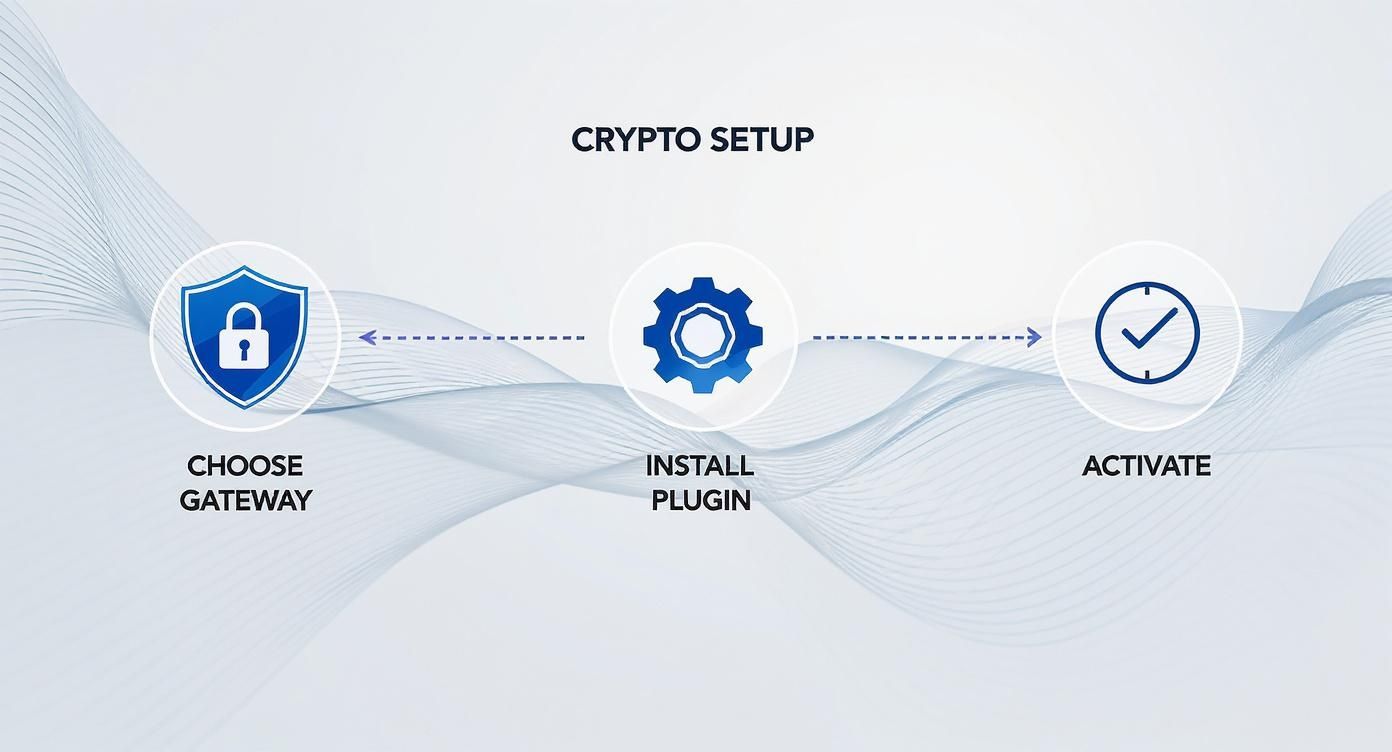
As you can see, activating your crypto payments is that final, critical step that brings it all to life after you’ve chosen a gateway and installed the plugin.
Customizing the Payment Experience
Once your API key is saved, you can really start making the checkout your own. This is your chance to fine-tune everything from the coins you accept to the fees your customers see. BlockBee gives you a ton of control here.
A good starting point is deciding which cryptocurrencies to offer. You don't have to turn on every single one. I usually recommend starting with the heavy hitters like Bitcoin (BTC) and Ethereum (ETH), and maybe throwing in a popular stablecoin like USDT. This covers the basics and gives customers a price-stable option if they're worried about volatility.
Next, you’ll want to think about blockchain network fees, which can be a real sticking point in WooCommerce crypto payments. You've got a few ways to handle this:
- Customer Pays: This is the most common approach, where the customer covers the blockchain transaction fee.
- Merchant Pays: Feeling generous? You can absorb the network fee yourself. It’s a small touch that can really improve the customer experience.
- Shared Fees: More advanced setups can even split the fee, though this is less common for typical e-commerce.
Pro Tip: One of the best ways I’ve seen to get customers to actually use the crypto payment option is to offer a small discount. In the BlockBee settings, you can easily set up a percentage-based discount that only applies to crypto orders. This little incentive can make a huge difference in adoption rates.
Fine-Tuning Checkout Details
Beyond the big stuff like coins and fees, it’s the little details that create a smooth, trustworthy checkout. You can customize all the text your customers see, which goes a long way in managing expectations and preventing confusion.
For instance, instead of the generic "Pay with Crypto," you could change the title to "Pay with Bitcoin, Ethereum, or USDT." You should also definitely customize the description to give clear, simple instructions.
Something like this works great:
Thanks for paying with crypto! Please send the exact amount to the address provided. We'll automatically confirm your order as soon as the transaction is verified on the blockchain.
This kind of clear messaging reassures customers and tells them exactly what to expect. If you want to dive deeper into checkout customization, the BlockBee WooCommerce plugin v1.20 update introduced a lot of powerful new options.
Let's break down some of the most important settings you'll find in the BlockBee configuration panel.
BlockBee Configuration Settings Explained
The table below summarizes the key settings you'll be working with and my recommendations for getting started.
| Setting | What It Does | Recommended Configuration |
|---|---|---|
| API Key | Securely connects your store to your BlockBee account. | Required. Copy and paste directly from your BlockBee dashboard. |
| Accepted Cryptos | A checklist of all the cryptocurrencies you want to offer as payment options. | Start with 2-3 major coins (e.g., BTC, ETH) plus a stablecoin (e.g., USDT) to test the waters. |
| Discount for Crypto | Applies a percentage-based discount to orders paid with cryptocurrency. | Set a small discount (1-3%) to encourage adoption and offset any perceived fees for the customer. |
| Surcharge for Crypto | Adds a fixed or percentage-based fee to crypto orders. | Use with caution. Generally, discounts perform better. Only use if needed to cover specific operational costs. |
| Title | The name of the payment method displayed at checkout. | Customize to be more descriptive, like "Pay with Crypto (BTC, ETH, etc.)" |
| Description | Instructional text shown below the payment method title. | Add a clear, concise message explaining the next steps for the customer. |
Getting these settings right from the start ensures a smoother process for both you and your buyers.
Finally, think about whether you need to add a surcharge. While discounts are almost always the better route, some business models might need to add a small fee to cover the costs of managing digital assets. BlockBee lets you add this as a fixed amount or a percentage, so you have full control over your pricing strategy.
Taking Your Setup to the Next Level: Automation and Security
Alright, you’ve got the basics down and can now accept WooCommerce crypto payments. That's a huge step. But let's be honest, "functional" isn't the same as "professional." Now it’s time to really dial things in, automating your workflow and beefing up security so you can scale without the headaches.
The first thing we need to tackle is the Callback URL, which you'll often see referred to as a webhook. Think of this URL as the secret communication channel between the payment gateway and your store. Without it, your WooCommerce site is flying blind—it has no idea when a customer's crypto payment actually gets confirmed on the blockchain.
You'd be stuck manually checking every single order and updating its status. That’s a non-starter for any serious business. The Callback URL fixes this by automatically telling your store to update an order to "Processing" or "Completed" the second the payment is good. This is absolutely critical for a smooth customer experience, especially if you're selling digital downloads that people expect right now.
Getting Smart with Payouts and Locking Things Down
Once your order flow is automated, you can start thinking about outbound payments. For anyone running an affiliate program or paying suppliers in crypto, the Mass Payouts feature is a game-changer. By tapping into the BlockBee API, you can batch-process payments to a whole list of addresses at once.
This completely gets rid of the soul-crushing, error-prone task of sending transactions one by one. It’s perfect for scenarios like:
- Paying Affiliates: Send out commissions to all your partners in their preferred crypto with a single command.
- Settling with Suppliers: Pay invoices to vendors who are happy to accept digital currencies.
- Handling Refunds: Process a customer refund straight back to their crypto wallet without any fuss.
Security isn't just another item on a checklist; it's the foundation of your entire setup. I always tell people to treat their API keys like the keys to a bank vault. Don't share them, don't ever commit them to a public code repository, and always generate unique keys for different apps to limit your exposure if one is ever compromised.
This mindset should extend to your account, too. The first thing you should do is enable two-factor authentication (2FA) on your BlockBee account. It’s a simple step that adds a massive layer of protection against someone trying to gain unauthorized access.
Why a Non-Custodial Gateway Matters
Maybe the biggest security win here is using a non-custodial gateway. This is a crucial distinction. It means you—and only you—are in control of your money. Customer payments go directly to your personal wallet, so the payment provider never actually holds your funds.
This model is a lifesaver because it insulates you from third-party risk. If the gateway provider ever had a security breach, your funds would be safe and sound in your own wallet. You're not trusting anyone else to hold your crypto.
While Bitcoin is still a crowd favorite for payments, its role really emphasizes the importance of controlling your own keys. In fact, data on eleven years of Bitcoin payment data shows that Bitcoin's average transaction size was €132 in 2025, a full 53.4% higher than other cryptos, suggesting it's the go-to for more significant purchases where security is paramount.
Testing and Troubleshooting Before You Go Live
Let's be honest, nothing's worse than a botched launch. Before you officially open your store to WooCommerce crypto payments, taking the time to test your setup is absolutely essential. This isn't just a "nice-to-have"; it's the final, critical step to ensure your customers have a smooth experience from day one.
https://www.youtube.com/embed/j7xXxSrbH1Q
The best way to kick things off? Run a real-world test. Forget testnets for this final check. Grab a small amount of actual crypto—whatever you plan on accepting—and go through the entire purchase process yourself. You'll see exactly what your customers see and can confirm that the payment lands correctly in your BlockBee dashboard and that the order status updates properly in WooCommerce.
Common Issues and How to Fix Them
Even with a perfect setup, you can run into a few snags. Based on my experience, most issues are usually small configuration oversights. Knowing what they are ahead of time will save you a massive headache.
Here are a few of the most common hiccups I've seen:
Payment Received, Order Status Not Updated: This one almost always screams "webhook issue." You see the funds in your wallet, but the WooCommerce order is still stuck in "Pending payment." This means BlockBee can't tell your store the transaction was successful. The first place to look is your Callback URL in the BlockBee settings. Make sure it's entered perfectly and isn't being blocked.
'Callback URL Not Reached' Errors: This is a more direct signal that communication is failing. Something is actively preventing BlockBee's server from reaching yours. More often than not, the culprit is a security plugin like Wordfence or Sucuri, or even a server-side firewall. A quick way to diagnose this is to temporarily disable your security plugins and try again. If it works, you've found the source and can whitelist BlockBee's IP.
Incorrect Payment Amounts Displayed: Seeing a weird crypto amount at checkout? This usually points to a problem with the API fetching live exchange rates. Double-check your connection to make sure the plugin is pulling the most up-to-date pricing. This is key to ensuring customers pay the precise equivalent of your store's fiat price.
One last sanity check: Make sure you've swapped out any test API keys for your live ones. It’s an easy thing to overlook during setup, but it will stop your entire payment system cold if you forget.
Your Go-Live Checklist
Once your test transaction goes through without a hitch, run through this final pre-flight checklist. Think of it as your last line of defense before welcoming your first crypto-paying customer.
- Live API Keys are in Place: Did you swap out the test keys? Seriously, check again.
- Webhook/Callback URL is Solid: Confirm the URL is correct and accessible. Give it a quick test to make sure no firewalls are getting in the way.
- Coin Selection is Correct: Are all the cryptocurrencies you want to accept actually enabled in the plugin settings?
- Checkout Instructions are Clear: Give the payment method title and description one last read-through. Is it clear and helpful for someone new to crypto?
Ticking these boxes means you’re ready. You can launch with the confidence that your crypto payment gateway is dialed in and ready for business.
Common Questions About Crypto Payments
When you first dip your toes into the world of WooCommerce crypto payments, you're bound to have a few questions. It's only natural. Getting a handle on these common concerns upfront is the best way to manage your new payment gateway confidently and avoid those little operational headaches down the line.
Let's walk through some of the things merchants ask us about the most.
Handling Payment Discrepancies
The first question is almost always, "What happens if a customer sends the wrong amount?" It's a valid concern, especially when someone underpays an invoice.
Thankfully, modern gateways like BlockBee are designed to handle this gracefully. If a customer sends less than the total required, the payment isn't just marked as failed. The order will simply sit in a 'pending' state, waiting for the rest of the funds to arrive. You'll see the partial payment logged right in your dashboard, so you always know what's going on.
A quick pro-tip: Set up a simple customer support template for this scenario. A friendly, pre-written email explaining the situation and guiding the customer on how to send the remaining balance can solve the problem in minutes.
Accounting for Your Crypto Sales
Another big one is bookkeeping. How in the world do you account for revenue that comes in as crypto?
It's actually more straightforward than you might think. Just treat a crypto sale like any other transaction on your books. The key is to record the value of the cryptocurrency in your local fiat currency (like USD or EUR) at the exact moment the payment is confirmed. Your payment gateway's dashboard is invaluable here, as it gives you detailed transaction reports you can easily export for your accountant.
That said, tax rules for digital assets can be a moving target and vary wildly by country. We highly recommend chatting with a tax professional who specializes in cryptocurrency to make sure you're staying 100% compliant.
The Real Security of Crypto Payments
Finally, let's talk security. Is accepting crypto on your website actually safe?
When you have everything set up correctly, it’s often more secure than taking credit cards. The single biggest win is that chargeback fraud becomes a thing of the past—crypto transactions are irreversible. By using a non-custodial gateway, you're also adding another powerful layer of security because you—and only you—have control over your funds.
Keeping your system secure boils down to a few essential habits:
- Guard your API keys as if they were the keys to your business. Because they are.
- Lock down your website with all the standard best practices, like a solid SSL certificate and a good firewall.
- Practice smart digital wallet hygiene. This means using strong, unique passwords and keeping your private keys offline and secure.
Ready to unlock the power of secure, non-custodial crypto payments on your WooCommerce store? BlockBee provides the tools you need to get started in minutes, not days. Explore our seamless integration and start accepting crypto today at https://blockbee.io.
Support
Review Us