How Do I Find My Wallet Address A Simple Guide for Crypto
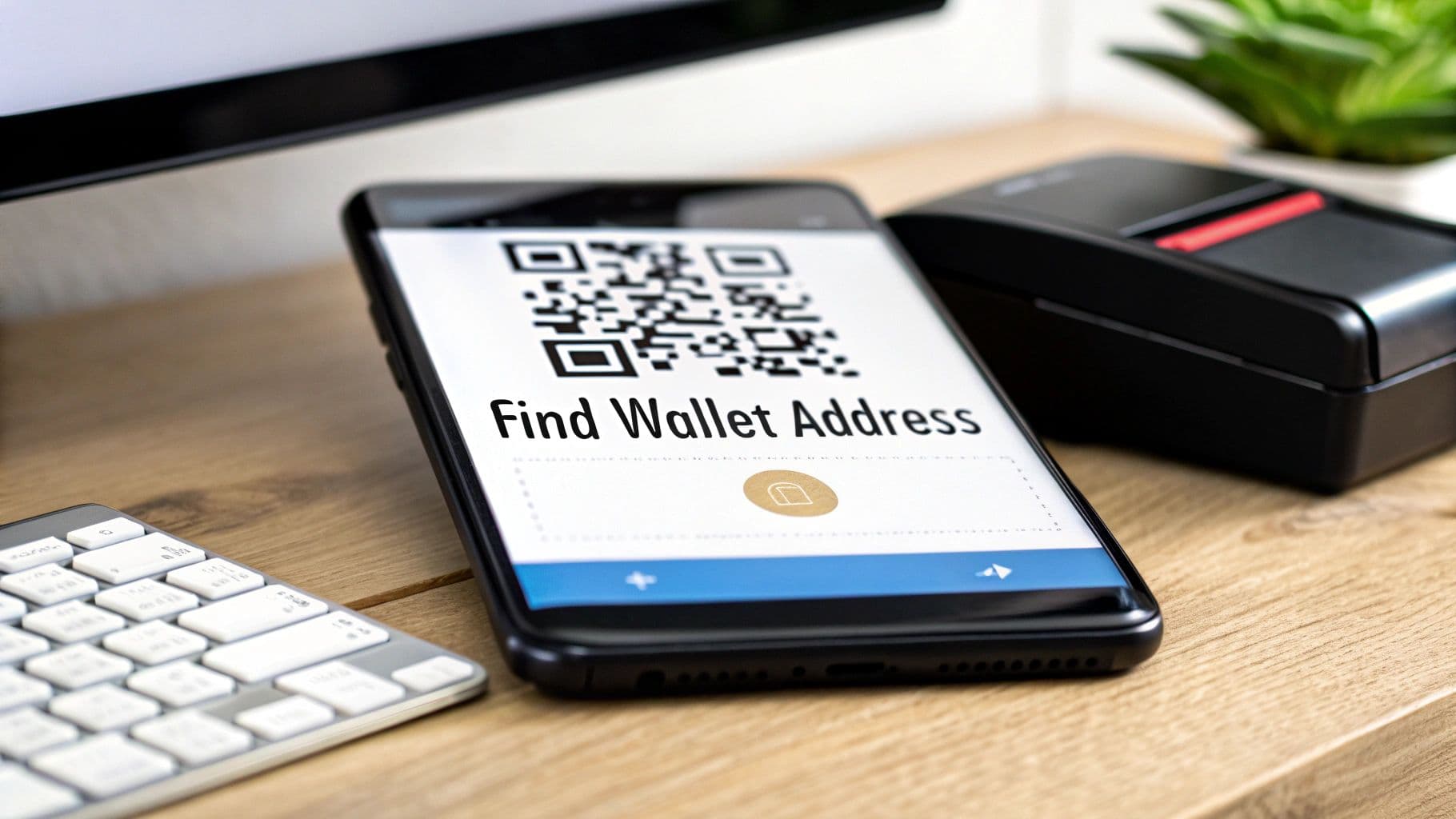
So, you need to find your crypto wallet address. It’s a common first step, and thankfully, it’s pretty straightforward. Just open up your crypto wallet or log in to your exchange account and look for a button that says 'Receive' or 'Deposit'. Clicking that will bring up a long string of letters and numbers alongside a QR code. That's it—your public address, ready to go.
What Is a Crypto Address and Where Do I Look?

Think of your crypto wallet address as a bank account number, but for your digital currency. It’s a unique identifier on the blockchain that you can share with anyone who needs to send you crypto. This is completely different from your private key, which you should guard like a password and never, ever share. Your public address, however, is meant to be given out.
This public key is the entry point for every single incoming transaction. Whether a friend is sending you some Bitcoin for lunch or a client is settling an invoice, they'll need this exact address to get the funds into your wallet. If you want to dive deeper into the basics, check out our guide on what a crypto wallet address is.
The Anatomy of a Wallet Address
When you find your address, you'll see it’s a long, complex-looking string of characters. For instance, a Bitcoin address usually starts with a "1" or a "3," while an Ethereum address will almost always begin with "0x." This isn't random; the complexity is a built-in security measure. It helps prevent simple typos and ensures funds are routed to the right place on the right network.
Key Takeaway: Your public wallet address is like an email address for money—it tells the sender where to direct the funds. It's completely safe to share, but your private key, which acts like your password, should never be revealed to anyone.
Why This Matters More Than Ever
Knowing how to find your wallet address is one of the most fundamental skills you can have in the crypto space. With the number of global cryptocurrency users soaring to an estimated 716 million, more people than ever are interacting with digital assets. This growth just goes to show why mastering simple tasks like locating your wallet address is a must for anyone getting started. You can see the full trend breakdown by reading the research on global crypto adoption.
Understanding this simple concept is your first real step toward managing your own digital finances. It’s the key that unlocks your ability to:
- Get paid by friends, family, or clients
- Move funds between different wallets or exchanges you own
- Interact with decentralized applications (dApps)
Without knowing where to find your wallet address, your crypto journey is stalled. It’s the starting line for every incoming transaction, making it one of the most critical pieces of information you'll work with.
To help you find your address quickly, no matter what kind of wallet you use, here's a quick reference table.
Quick Guide: Where to Find Your Wallet Address
| Platform Type | Common Location | Typical Button/Menu Label |
|---|---|---|
| Software Wallet | Inside the main dashboard or a dedicated tab | "Receive," "Deposit," or a QR code icon |
| Hardware Wallet | Within the companion app (e.g., Ledger Live) | "Receive" or "Get Address" |
| Mobile Wallet | Often on the main screen or under a "+" icon | "Receive," "Deposit," or "Add Funds" |
| Exchange | In your "Spot Wallet" or "Assets" section | "Deposit" |
| Payment Platform | In the "Crypto" or "Finance" settings | "Receive Crypto" or "View Address" |
This table should give you a good starting point. While the exact phrasing might vary slightly from one app to another, the general location and labels are usually quite similar across the board.
Finding Your Address in Software and Mobile Wallets
Software and mobile wallets are fantastic for their convenience, basically turning your computer or phone into a crypto command center. But when someone asks for your address to send you some ETH, where do you even look? The process is generally straightforward, but small differences between apps can trip you up initially.
The Main Dashboard and Receive Screen
Most software wallets, like MetaMask or Exodus, make it easy by putting your address right on the main screen. You'll typically see it right under your account name (e.g., "Account 1"), often shortened to just the first and last few characters. Look for a small copy icon next to it—this is your best friend for sharing your address without any mistakes. One click, and the full string is on your clipboard.
Mobile wallets such as Trust Wallet work on a very similar principle. The main screen shows your portfolio of different coins. If you tap on a specific one, like Bitcoin, it opens up a new screen with options to "Send" and "Receive."
To get your full address and its QR code, you need to hit the "Receive" button (sometimes it’s labeled "Deposit"). This is a universal step across almost every wallet out there.
This screen is your central hub for getting paid. It gives you everything you need:
- Your full wallet address: The long string of letters and numbers.
- A QR code: The scannable black-and-white square, perfect for in-person transactions.
- A copy button: For that foolproof, one-click copy to your clipboard.
Think of this "Receive" screen as your personal crypto inbox. It’s where you generate the details someone needs to send funds your way. For a deeper dive into how wallets work, our guide on how to use a cryptocurrency wallet covers all the essentials.
Pro Tip: Never, ever try to type out a wallet address by hand. They can be over 40 characters long, and one tiny typo means your funds could be lost for good. Always use the copy button or the QR code.
The All-Important Network Selection
Okay, here’s a critical step where a lot of people get stuck. Someone wants to send you USDT. Great! But is it USDT on the Ethereum network (ERC-20), BNB Smart Chain (BEP-20), or Tron (TRC-20)? Sending crypto on the wrong network is one of the easiest ways to lose it permanently.
Most modern wallets, MetaMask included, let you switch between different blockchain networks. You'll usually find a dropdown menu at the top of the app to do this. Before you copy that address, you absolutely must confirm you're on the correct network. It has to match the one the sender is using.
For instance, if a friend is sending you MATIC on the Polygon network, you first need to switch your wallet's network to Polygon and then copy the address. Even though your address might look the same on Ethereum and Polygon, they are fundamentally different highways for your funds.
Always double-check with the sender which network they plan to use. That one simple question can save you a massive headache.
Finding Your Address on Exchanges and Hardware Wallets
Your crypto journey will likely take you through two key platforms: centralized exchanges and hardware wallets. They serve completely different functions, but on both, you'll need to know how to pull up your wallet address. Think of it as your unique account number for the crypto world—it's how you get paid, receive funds, and move assets around.
The crypto space is bigger than ever. We're talking over 200 million Bitcoin wallets and an estimated 241,700 crypto millionaires globally, according to the latest State of Crypto Report for 2025. With that many people involved, knowing this fundamental skill is non-negotiable. Let’s walk through how it’s done.
Navigating Crypto Exchanges
For many, an exchange like Coinbase or Binance is the first stop. They want your business, so they make it pretty straightforward to find your deposit address.
You'll usually start on your main account dashboard. Look for a tab labeled "Wallet," "Assets," or maybe "Portfolio." Once you're in, find and click the "Deposit" button.
This is where you need to pay close attention. The exchange will ask you to:
- Pick the Cryptocurrency: Are you receiving Bitcoin, Ethereum, USDT, or something else? Choose the exact one.
- Choose the Network: This is the most common place for mistakes. The exchange will show you which networks it supports for that specific coin.

Here's a real-world example: someone wants to send you USDT. You have to ask them which network they're using. Is it the Ethereum network (ERC-20) or the BNB Smart Chain (BEP-20)? If you generate an ERC-20 address but they send it on the BEP-20 network, those funds are almost certainly gone for good.
Always, always confirm the network with the sender before sharing your address.
Using a Hardware Wallet for Maximum Security
When security is your top priority, nothing beats a hardware wallet like a Ledger or Trezor. These devices keep your private keys completely offline. To find your address, you'll need to use their companion software—Ledger Live or Trezor Suite—on your computer or phone.
First, plug in your physical device and unlock it with your PIN. Then, inside the app, hit the "Receive" button. The software will generate a fresh address for you to use.
Crucial Security Check: The single most important step here is to compare the address on your computer screen with the one displayed on your hardware wallet's physical screen. They must match perfectly. This check foils any "clipboard hijacker" malware that might try to swap the address behind the scenes.
By physically verifying the address on the device itself, you're confirming that the address you're about to share is legitimately yours. It’s a simple, non-negotiable habit that provides a final layer of defense and some well-deserved peace of mind.
Best Practices for Safely Sharing Your Wallet Address

Alright, so you know how to find your wallet address. Now comes the part that really matters: learning how to handle it without putting your funds at risk. Getting paid is the whole point, but one tiny mistake can be unbelievably costly. This goes way beyond just avoiding typos; it’s about building a solid, secure routine every single time you share your address.
Let’s start with the golden rule: never, ever manually type out a wallet address. These things are long, complicated strings of characters for a reason. Mistake a single 'O' for a '0', and your crypto is gone forever, sent to an address that doesn't exist. There's no 'undo' button in crypto.
Your wallet or exchange almost certainly provides a one-click copy button. Use it. It's your first and best defense against simple human error. If you're doing an in-person transaction, the QR code is even better—it bypasses the need for copying and pasting entirely.
Develop Strong Verification Habits
Just copying the address isn't enough. You need to get into the habit of double-checking it after you paste it. Why? There's some nasty malware out there called a "clipboard hijacker" that can silently swap out the address you copied with a scammer's address.
It happens in a flash, completely behind the scenes. You hit 'copy' on your address, go to paste it into a message or payment field, and the malware inserts the attacker's address instead. If you don't check, you'll never know until it's too late.
The fix is simple and takes two seconds.
- First, copy the address from your wallet.
- Then, paste it where it needs to go.
- Immediately flip back to your wallet and check that the first 4-5 and the last 4-5 characters match perfectly.
This quick visual scan is enough to defeat most of these attacks and give you peace of mind that your funds are going where you intended.
Watch Out for Address Poisoning
There's a sneakier attack you need to be aware of called address poisoning. This is a bit more advanced. A scammer will send a tiny, nearly worthless amount of crypto to your wallet. The trick is that they send it from an address they've created to look almost identical to one you've used before—often matching the first and last few characters.
They’re banking on you being in a hurry, glancing at your transaction history, and accidentally copying their lookalike address for your next big payment.
Key Insight: Always, without exception, get your receiving address from the "Receive" or "Deposit" section of your wallet. Never reuse an address by copying it from your past transaction history. That’s exactly where these poisoned addresses hide.
Send a Test Transaction First
When you're dealing with a large amount of money or sending to a new address for the first time, take a deep breath and send a test transaction first. I'm talking a tiny amount—just a dollar or two worth of crypto.
Send the small test amount and wait for the person on the other end to confirm they've received it. Once you get the all-clear, you can send the full amount with confidence. It might feel like an extra step, but that one minute of caution can prevent a massive, irreversible loss. Think of it as cheap insurance.
Using Your Wallet Address with Payment Tools
Finding your wallet address is the first step. Now, let's talk about how to actually use it to get paid. This is where your string of characters transforms from just a receiving point into a core part of your business, whether you're a freelancer, an online store owner, or running a larger operation.
Think of your wallet address as the final destination for every crypto payment you receive. It's the critical link between your business and the blockchain.
When you use a service like BlockBee, you're essentially telling the system, "Hey, when a customer pays, send the funds right here." You provide your wallet address during setup, and it acts as the endpoint for every transaction. This ensures payments land directly in a wallet that you, and only you, control.
Setting Up Your Incoming Payments
Getting your payment gateway configured is much simpler than it sounds, especially once you have your address handy. You’ll usually find a settings or "Receiving Address" section in your payment tool's dashboard. From there, it's a simple copy-and-paste job. If you want to accept Bitcoin, you'll paste your BTC address. For Ethereum, your ETH address.
Once that's done, you unlock some powerful advantages:
- Hands-Off Payouts: Customer payments arrive in your wallet automatically. No need to manually process anything.
- True Ownership: The funds go straight to your personal wallet, giving you complete self-custody.
- More Ways to Pay: You can easily add addresses for multiple cryptocurrencies, offering more flexibility for your customers.
This isn't just a niche skill anymore. The crypto user base is exploding—it grew by nearly 40 million people in just the second half of a recent year. Bitcoin alone sees hundreds of thousands of transactions every single day. By knowing how to connect your address to payment tools, you're opening your doors to this massive and growing market. For a deeper dive, you can see the latest figures on the global cryptocurrency user base on Statista.com.
Going Further: Mass Payouts
Receiving payments is one thing, but what about sending them? Your wallet address is just as crucial for more complex financial tasks. For example, imagine you need to pay a dozen freelancers or hundreds of affiliate partners at the same time. This is where a mass payout tool comes in.
In a mass payout scenario, your wallet address often acts as the source account. You'd connect your wallet to the platform, make sure it's funded, and then supply a list of all the recipient addresses to send the bulk payments in one go.
So, whether you're getting paid by a single customer or paying a hundred contractors, it all circles back to that one crucial piece of information. Your ability to quickly find and use your wallet address is what allows you to integrate crypto into real-world business—from simple checkout pages with scannable QR codes to more sophisticated, automated payout systems.
If you're curious about using QR codes specifically, our guide on how crypto QR codes work is a great place to start.
Common Questions About Wallet Addresses
Once you get the hang of finding your wallet address, you'll probably run into a few more questions. Crypto has its own set of rules and quirks, and getting familiar with them is crucial for keeping your funds safe. Let's walk through some of the big ones that often trip people up.
Think of this less as theory and more as practical knowledge. These answers have a real impact on how you manage your crypto and can save you from making some painful and expensive mistakes.
Can I Use the Same Address for All My Different Coins?
That's a great question, and the short answer is, "it's complicated." It all boils down to the blockchain network a specific coin lives on. Imagine blockchains are like different countries' banking systems; you can't just use your US bank account number to receive a transfer in Japan.
For instance, your Ethereum wallet address—the one that starts with "0x"—is your universal inbox for ETH and thousands of ERC-20 tokens. This covers a massive range of popular assets like USDT, SHIB, and LINK when they're issued on the Ethereum network.
But that same "0x" address is completely incompatible with Bitcoin (BTC). Bitcoin operates on its own blockchain and uses its own address formats, which usually start with "1," "3," or "bc1." Trying to send Bitcoin to an Ethereum address is like mailing a letter to a non-existent house.
Key Takeaway: Always use the specific receiving address generated for the exact coin and network you're dealing with. Sending a coin to an address on the wrong network will lead to a permanent loss of your funds.
Can Someone Steal My Crypto If They Have My Wallet Address?
Let's put this worry to rest immediately: Absolutely not.
Sharing your public wallet address is perfectly safe—in fact, it's designed to be shared. It's the crypto equivalent of your email address or a bank account number. It's just a destination marker that tells people where to send you funds.
The only way anyone can get to the crypto inside your wallet is if they get their hands on your private key or your seed phrase. That's the secret key to the vault. Your public address is just the number on the front of the vault door.
So go ahead and put your address on an invoice or share it with a friend. Just treat your private key like the most important secret you have.
What Happens If I Send Crypto to the Wrong Address or Network?
This is the nightmare scenario for every crypto user, and the reality is pretty stark. Because of how blockchains work, transactions are irreversible. There's no customer service hotline to call or a bank manager who can reverse a payment for you.
If you send crypto to the wrong address—maybe from a simple typo or by falling for a phishing scam with a look-alike address—those funds are almost certainly gone forever. The same is true if you select the wrong network, like sending USDT on the BNB Chain (BEP-20) to an Ethereum (ERC-20) address.
This is exactly why all those verification steps we talked about are so important. Double-checking every character and running a small test transaction for a big transfer aren't just suggestions; they are fundamental habits that shield you from irreversible mistakes.
Ready to put that wallet address to good use? BlockBee offers a secure, non-custodial crypto payment gateway that lets you accept payments directly into your own wallet. You're always in control. Integrate our simple tools and start accepting crypto payments today. Find out more at BlockBee.io.
Review Us