Search BlockBee
Search BlockBee blog posts and documentation.
Introducing Domain Verification for Callbacks and Redirects
Verify the domains behind your callback, webhook and redirect URLs with a single DNS record. Required for existing accounts from 1 February 2027.
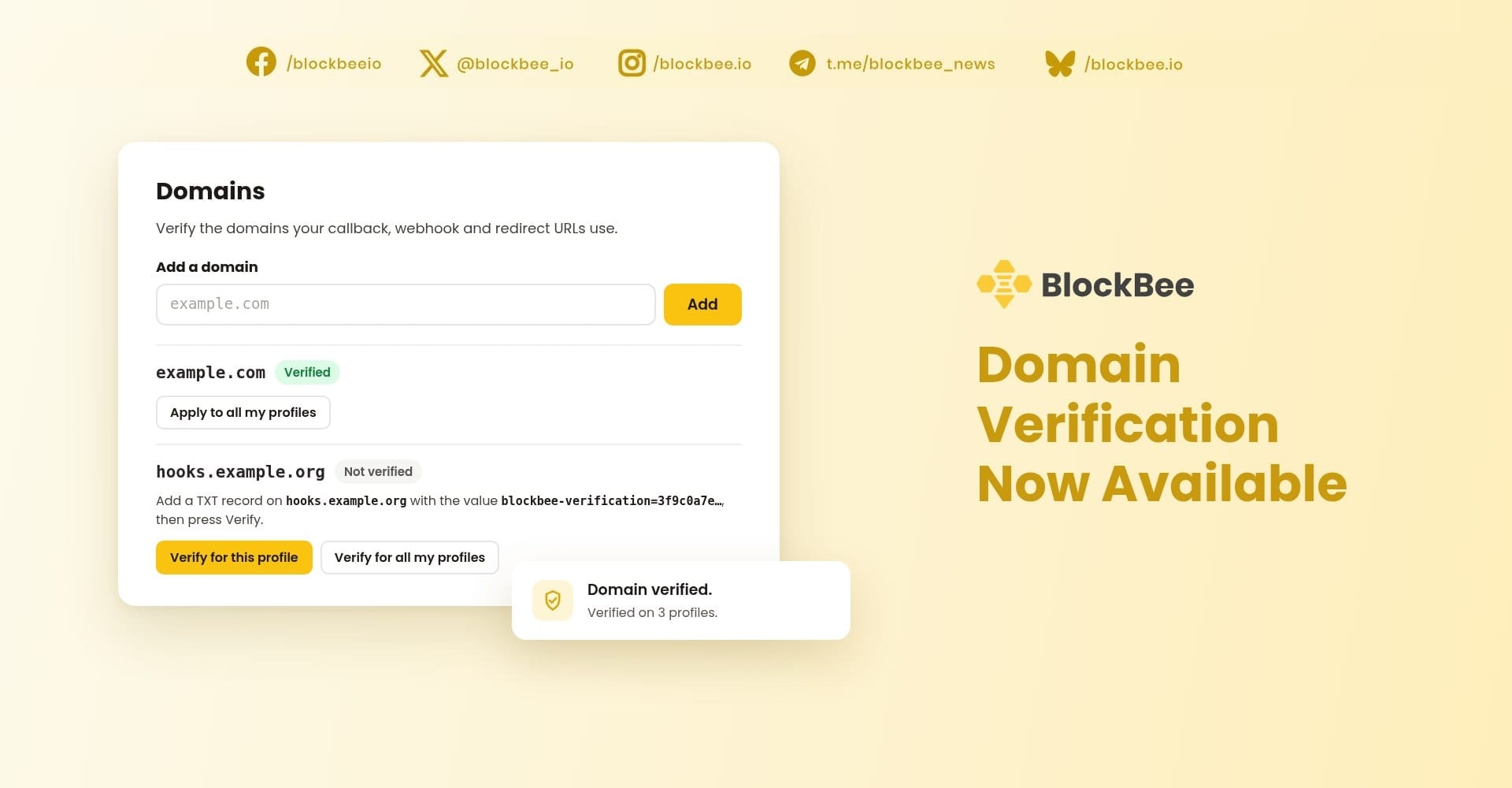
Domain verification is now available in the BlockBee Dashboard. It confirms that the domains behind your callback, webhook and redirect URLs belong to you, and each domain takes a single DNS record to verify. From 1 February 2027, BlockBee will accept new callback, webhook and redirect URLs only on verified domains. Accounts created on or after 20 October 2026 need verified domains from the start.
What domain verification does
Every time a payment arrives, BlockBee calls your callback URL. After checkout, it sends your customer to your redirect URL, and each payout reports to your payout webhook. Domain verification ties all of these URLs to domains you have proven you control, profile by profile.
Key dates
- 20 October 2026: required for accounts created on or after this date.
- 1 February 2027: required for all existing accounts. Until then, nothing changes.
Everything created before 1 February 2027 keeps working: existing addresses, payments and subscriptions keep receiving their callbacks. We will email existing account owners 30 days and 7 days before the date, with the unverified domains each profile used in the last 30 days.
The Domains page in your Dashboard shows whether verification applies to your account, and from which date. On a shared profile, the profile owner's date applies.
Quick to set up
- One DNS record per domain. Add the TXT record shown in your Dashboard, then click Verify.
- All your profiles at once. Choose Verify for all my profiles to use a domain on every profile you manage. For a profile you add later, Apply to all my profiles extends a verified domain with no new DNS check.
- Subdomains included. Verifying
example.comalso coversapi.example.comand every other subdomain. - Your domains already listed. The Domains page shows the domains we have seen in your payment address callbacks, marked In use, verify before the cutoff.
- Help from our team. No access to your DNS? Our support team can verify a domain for you. It then shows as Verified by BlockBee.
- Your storefront needs nothing. BlockBee's own domains, such as your storefront on
pay.blockbee.io, are already verified for redirects.
How to verify a domain
- In the BlockBee Dashboard, select the profile and open Profile settings → Domains.
- Enter the domain, such as
example.comorhooks.example.com, withouthttps://, a port or a path. Click Add. - At your DNS provider, add the TXT record shown on the page. Its value looks like
blockbee-verification=<token>. Many DNS panels take the name relative to your zone: enter@forexample.com, orhooksforhooks.example.com. - Click Verify for this profile or Verify for all my profiles.
DNS changes can take a while to propagate. If the record isn't found yet, try again a little later. You can add up to 50 domains to each profile.
Which URLs are checked
Once verification applies to your account, these URLs must be on a domain verified for the profile:
- the
callbackof each new payment address; - the
notify_urlandredirect_urlof checkout payments, and thenotify_urlof checkout deposits; - your payout webhook URL. Payouts from the Dashboard and the API fail while its domain is unverified;
- the notification and redirect URLs of your subscription service;
- the redirect URL of your payment links and your storefront.
A URL on an unverified domain is refused with this error:
Domain 'shop.example.com' is not verified for this profile. Verify it in the BlockBee Dashboard.
Your checklist before 1 February 2027
- Review every URL your integration uses. Our email lists the domains we have seen, but any other domain you pass as
callback,notify_urlorredirect_url, or save in your settings, needs verifying too. - Include repeat create calls. If your code calls create with the same callback to fetch an address you already have, that call also needs the domain verified.
- Verify your shop's domain if you use a plugin. WooCommerce, WHMCS and our other plugins send their callbacks to your shop.
- Move IP-address URLs to a domain. An IP address can't be verified, so URLs that point to one will be refused.
- Verify the parent of a CNAME. A subdomain that is a CNAME can't hold a TXT record, so verify its parent domain instead.
Get started today
Verify your domains now, and your integration keeps running as it does today when verification becomes required. Open Profile settings → Domains in your Dashboard, or follow the step-by-step guide in our documentation. Questions? Contact us through the live chat on blockbee.io or at [email protected].
Support
Review Us